
Could your team spot a convincing phishing email?
A suspicious message is not always easy to recognise. It may appear to come from a colleague, supplier or service your team uses every day.
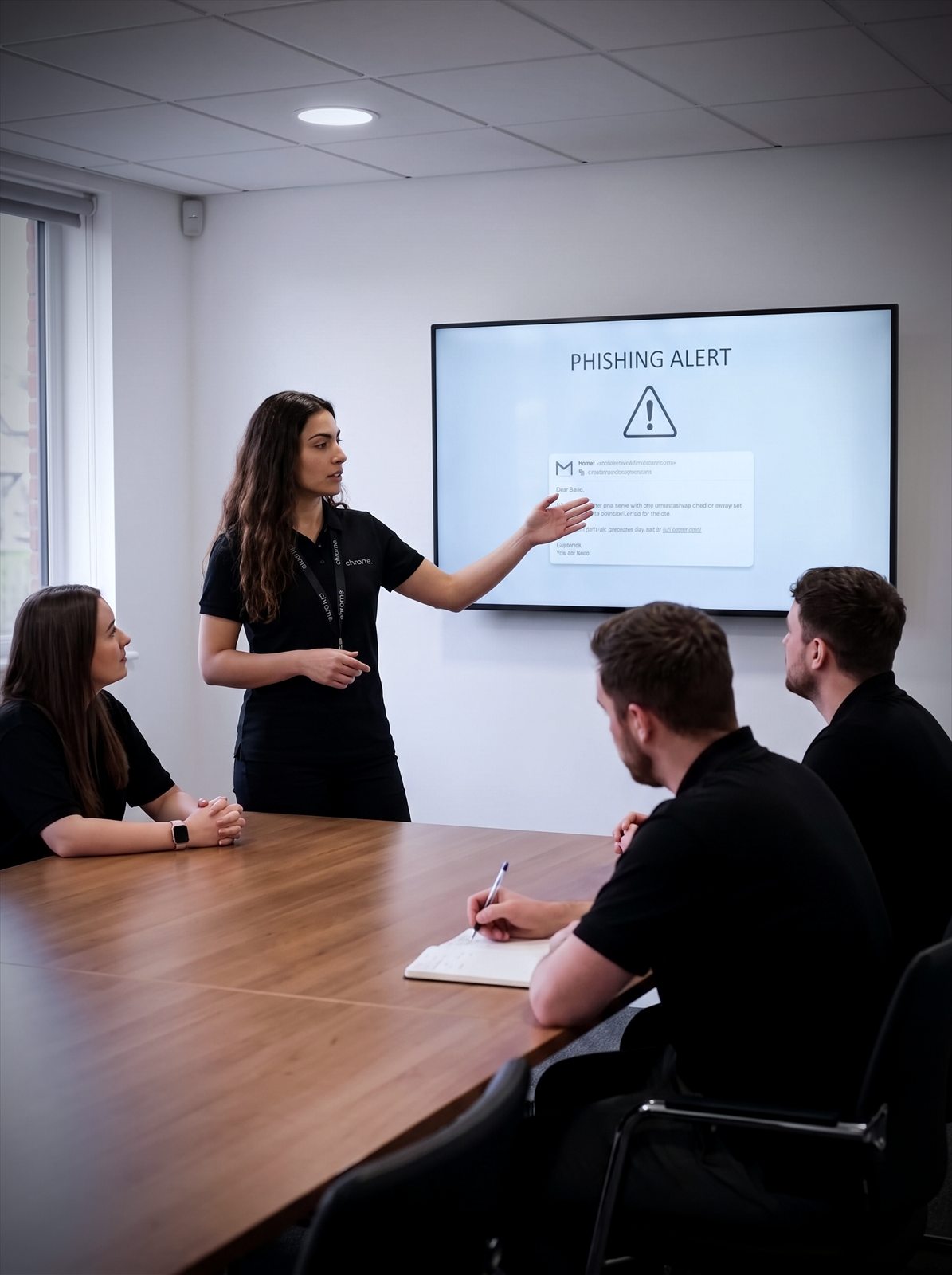

Why use Chrome Awareness Training?
Chrome’s cyber security awareness training helps your team recognise warning signs, make safer decisions and report concerns quickly.
Short online lessons, quizzes and simulated phishing emails give your people practical experience without taking them away from their work for hours.
Help your team spot phishing
Short lessons cover the messages, links and fake login pages your people actually see at work.
Practise on safe simulations
Simulated phishing emails give your team the experience without any real risk to the business.
Answer training questions
Reports show who has completed what, which helps when customers, insurers or auditors ask.
Link it with your wider setup
Awareness training works best alongside email security, managed DMARC, password management and multi-factor authentication.

Help your people make safer decisions
Email filters and security tools can block many threats. Some suspicious messages and login pages may still reach your team.
Your people need to know what to check before clicking a link, opening an attachment or sharing information.
Our staff cyber security training covers common workplace risks in clear language. It helps your team understand what suspicious activity can look like and what they should do next.
The training can help you build cyber security awareness across your business, help staff recognise suspicious emails, links and login pages, encourage people to report concerns quickly, see where more guidance may be useful, keep training records in one place, and support wider cyber security, insurance and compliance work.
Training cannot remove every risk. It can give your people better information and a clear way to respond.
Before clicking a link
What to check when a message asks for immediate action.
Before opening an attachment
Spotting the files that are worth a second look.
Before sharing information
Knowing what should never be sent by email.
Knowing what to do next
Who to tell, and how quickly, when something looks wrong.

Why work with Chrome?
You should not have to buy a platform and work everything else out alone.
Chrome will help you set up the programme, explain the reporting and remain available when you need support.
You can also speak to the same team about your managed IT, connectivity, business phones and wider cyber security. That means fewer suppliers to manage and support from people who understand how your business works.
Clear advice. Helpful people. Cyber security training that fits around your team.
What's included?
Training works best when it is short, regular and relevant. This is what the programme covers.
Short online lessons
Your team receives bite-sized video lessons covering common cyber security risks.
Short quizzes help check understanding without turning training into an afternoon-long test.
Lessons are available in multiple languages, helping businesses provide training across different teams and locations.
Safe phishing simulations
Simulated phishing emails give your people experience with the kinds of messages they may receive at work.
Campaigns can use different senders, subject lines, links and attachments, testing a range of common phishing methods.
When someone interacts with a phishing test, they receive guidance explaining what to check next time.
New content every month
Cyber threats and common scams change over time.
New video lessons and phishing simulation kits are added each month, helping your training remain useful throughout the year.
Clear reporting
See who has completed their training and how your team responded to phishing simulations.
Reports can show results across the business and for individual users, and can be sent directly to nominated managers.
This helps you see where further training or support may be needed.
Campaigns planned in advance
Training and phishing campaigns can be scheduled up to 12 months ahead.
This cuts down the day-to-day admin involved in running an awareness programme. You can plan the activity, agree who receives the reports and let the programme run to the chosen schedule.
Training for different groups
Your team can be organised into learning groups, so different teams with different responsibilities receive different training or simulations.
A finance team, for example, may face different risks from staff working on site or speaking to customers.
Content that reflects your business
Phishing simulations can be changed to reflect the types of messages your people may receive.
Sender details, wording, links and attachments can be adjusted where appropriate, giving your team practice with situations that feel familiar to their working day.
We will agree the right mix for your team rather than switching everything on at once.
Awareness should continue throughout the year
Phishing training that happens once a year is easy to forget.
Regular, manageable training keeps cyber security present without placing too much pressure on your team. It also gives new starters the same basic knowledge and allows existing staff to revisit important subjects.
There is no single schedule that suits every organisation. The right frequency will depend on your business, its risks and any requirements you need to meet.
We’ll talk you through a sensible plan.
One platform, set up around your team
Chrome sets the programme up on one platform, so lessons, quizzes, phishing simulations, campaign scheduling and reporting all sit in the same place.
That gives you one view of who has completed what, and one team to ask when a result needs explaining.
Support your wider cyber security plans
Awareness training works best alongside other cyber security measures, such as multi-factor authentication, email security, device protection, secure backups, access controls, clear reporting procedures and regular reviews of accounts and permissions.
Training records and reports may also help when answering questions from insurers, customers or auditors.
The exact requirements will depend on your organisation. Awareness training alone does not confirm legal or regulatory compliance.
What will your team learn?
Training subjects can include how to recognise suspicious emails, what to check before clicking a link, how fake login pages work, safer password habits, multi-factor authentication, business email compromise, social engineering, handling business and personal information, working safely away from the office, what to do after clicking something suspicious, and how and when to report a concern.
The content is made for everyday users. Your team does not need technical knowledge to take part.
Getting your team started
Training works best when it is planned rather than reactive. This is how we set it up with you.
We discuss your business
We set up the programme
Your team completes short lessons
Safe simulations are sent
You review progress
Training your team will actually remember
Customer reviews are one of the clearest measures of the service we provide.
Read what customers say about Chrome’s communication, support and the people behind the service in our reviews.
What managers ask before training the team
Common questions about cyber security awareness training: how often it runs, what it covers and how you see who has completed it.
What is cyber security awareness training?
Cyber security awareness training, sometimes called phishing awareness training, teaches your team how to recognise and respond to common online threats. It usually covers phishing, unsafe links, fake login pages, passwords, social engineering and the safe handling of information.
What is a phishing simulation?
A phishing simulation is a controlled test that looks like a genuine phishing email but does not contain a real threat. It helps your people practise spotting warning signs, and gives managers information about where more guidance may be useful.
Will staff be punished if they click a simulated email?
The purpose of the programme is education, not embarrassment. Results should be used to provide guidance and help people understand what they missed. Training works better when your team feels comfortable reporting mistakes or asking questions.
How long does the training take?
Lessons are divided into short modules, so your team can complete them around their working day. The total time will depend on the subjects included and the schedule agreed for your business.
How often should staff receive training?
Cyber security awareness should continue throughout the year. The right schedule depends on your industry, risks, internal policies and any requirements from customers, insurers or regulators. We’ll help you choose a sensible frequency.
Can new starters receive training?
Yes. New starters can be added to the platform and placed into the right learning group. Training can form part of your onboarding process, helping new starters understand your expectations from the beginning.
Can managers track completion?
Yes. Reports can show training participation, quiz results and responses to phishing simulations, helping managers see where reminders or further guidance may be needed.
Can we change the phishing simulations?
Yes. Sender details, wording, links and attachments can be changed where appropriate, and different simulations can be sent to separate learning groups.
Does awareness training make us compliant?
Training may form part of wider legal, regulatory, contractual or insurance requirements. However, training alone does not make an organisation compliant. Requirements vary between businesses and industries, and you should take appropriate legal, regulatory or specialist advice where needed.
Is the training suitable for non-technical staff?
Yes. The lessons explain common risks in plain language and are suitable for everyone across the business.
What happens if someone clicks a real phishing email?
Ask them to report it immediately, even if they are unsure whether anything happened. A quick report gives your IT or cyber security team a better chance to check the message, account or device and take the right action.
Give your team practical cyber security training
Help your people recognise suspicious activity and understand what to do next.
We’ll talk you through the training, simulations and reporting without the jargon.