
Help protect the inbox your team uses every day
Email sits at the centre of the working day.

Why use Chrome Email Security?
Quotes, invoices, customer questions, supplier updates, shared files, password resets and internal messages all pass through the inbox.
That makes email useful. It also makes it a common place for suspicious messages to appear.
A phishing email may look like it came from a supplier. A fake Microsoft 365 login page may ask for a password. An attachment may not be what it claims to be. A message may try to impersonate someone in your business.
Chrome helps UK businesses put stronger email security in place.
We can help review your current setup, improve protection around Microsoft 365, reduce risky messages and connect email security with wider cyber security support.
The aim is simple: help your team use email with more confidence and clearer protection around it.
Reduce risky messages
Email security can help detect and block suspicious emails, harmful attachments, unsafe links and impersonation attempts.
Protect Microsoft 365 users
Chrome can help review how your Microsoft 365 email security is set up and where extra protection may be useful.
Support your people
Email security works best with awareness training, so your team knows what to check and how to report concerns.
Protect your domain
SPF, DKIM and DMARC records can help reduce the chance of your domain being used in spoofed emails.

What is email security?
Email security is the protection around your business email.
It helps reduce the risk of suspicious messages, harmful links, unsafe attachments and impersonation attempts reaching your team.
It can include email filtering, spam filter and anti spam settings, link scanning, attachment checks, anti-spoofing controls, user reporting, quarantine reports, admin alerts and policy settings.
The exact setup depends on your email platform, licences, users and the email security service being used.
For many businesses, email security works alongside Microsoft 365. For others, it may include another security platform or a managed service that adds more checks and reporting.
Good email security should answer practical questions: what is being blocked, what is being allowed, who reviews alerts, how users report a suspicious message, what happens if a genuine email is held, and whether the setup supports the way people actually work.
Chrome can help you work through those questions without turning the inbox into a technical puzzle.
Filtering and spam control
Reduce the volume of suspicious mail reaching your team.
Links and attachments
Scanned before someone clicks or opens them.
Anti-spoofing
Make it harder for someone to impersonate your business.
Reporting and quarantine
User reporting, quarantine summaries and admin alerts.

Why email still needs attention
Most businesses already have some email protection in place. That does not mean the setup should be left alone.
Email threats change. Users change. Domains change. Suppliers change. Microsoft 365 settings change.
Old rules and exceptions can also remain long after anyone remembers why they were added.
A suspicious message may look more convincing than expected. It may use a supplier name, a familiar file-sharing service or a message about an invoice, payment, delivery or password reset.
Some messages try to steal sign-in details. Some try to trick a person into making a payment. Some include links or attachments that need checking before they reach users.
Chrome can help review how your email protection is working now. We’ll look at the main risks, the current setup and the practical changes that could reduce avoidable gaps.
The aim is not to make every email feel suspicious. It is to give your team better protection and clearer steps when something does not look right.
Phishing, impersonation, links and attachments
Phishing emails try to make someone click, reply, sign in or share information. They often rely on pressure, familiarity or a message that feels routine.
Impersonation emails can be harder to spot. They may look as though they came from a senior manager, supplier, customer, finance contact or delivery company, asking for a payment, a bank detail change, a gift card purchase, a file download or a password reset. This pattern is often called business email compromise.
Email security can help check messages before they reach the inbox. Depending on the platform and settings, this may include checking senders, scanning attachments, checking links, blocking known harmful content and holding suspicious messages for review, along with display-name checks, sender checks, domain similarity checks and reply-to address checks.
Chrome can help explain what your service checks and what it does not.
That matters because no email security tool can stop every suspicious message. Your team still needs to know what to do when something gets through.
That is why phishing protection tools should work with cyber security awareness training. Tools can reduce the number of risky messages; training helps people recognise and report the ones that still appear.
Microsoft 365 and email protection
Many UK businesses use Microsoft 365 for email. That makes it a sensible place to start.
Chrome can help review your Microsoft 365 email security, user accounts, admin settings, security policies and reporting.
We can also discuss whether your business needs additional email security tools. This may be useful where you want more detailed filtering, link protection, attachment checks, impersonation controls, quarantine reporting or managed support.
The right answer depends on your users, risk, industry, current licences and how email is used across the business.
We’ll explain what is already in place, what may need changing and what would need a separate service.
Your team should know what protection is active, who manages it and where to go when an email needs checking.
SPF, DKIM, DMARC and spoofing
Some suspicious emails try to look as though they were sent from a trusted domain. That could be your own domain or a supplier’s domain.
SPF, DKIM and DMARC, sometimes referred to together as SPF DKIM DMARC, are email authentication controls that help receiving mail systems check whether a message is allowed to use a domain. In plain English, they help make it harder for someone to send fake emails that appear to come from you.
They need careful setup. Many businesses use several systems to send email, such as Microsoft 365, CRM tools, marketing platforms, booking systems or finance software. If those sending services are not included properly, genuine email can be affected.
Chrome can help review your domain records and explain what needs attention. For deeper support, this links closely with our managed DMARC service.
Quarantine, alerts and user reporting
Email security is not only about blocking messages. It is also about what happens next.
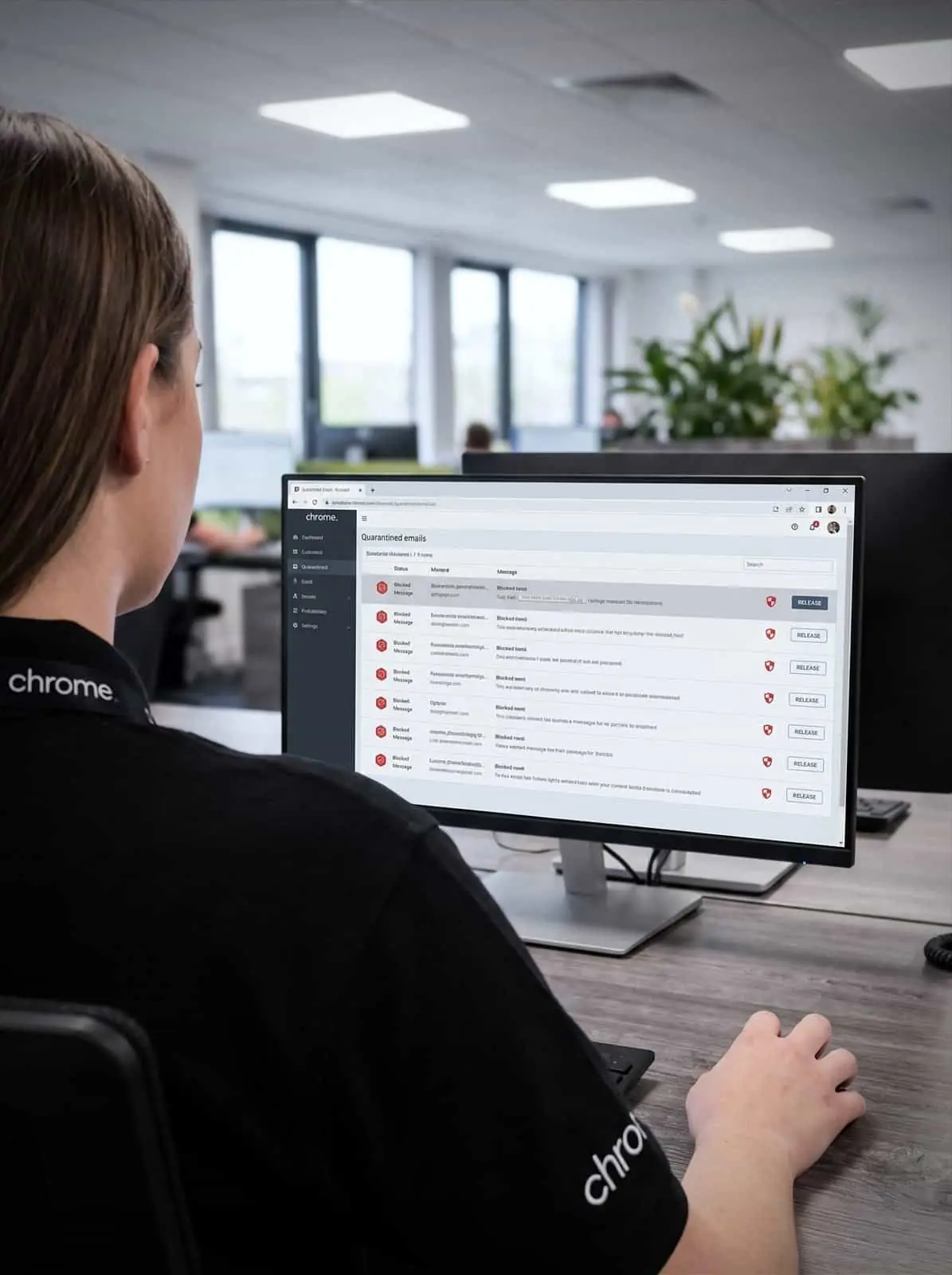
Some messages may be held in quarantine. Some may need an admin review. Some may be released after checking. Some may need reporting to the wider team.
Chrome can help you agree how these situations should be handled. Users should know how to report a suspicious email. Managers should know who receives alerts. Admins should know how held messages are reviewed.
The process should be clear enough that people use it. If reporting a suspicious email feels awkward, people may ignore the message or ask the person nearest to them. A simple reporting route gives your IT or cyber security team a better chance to check the message and respond properly.
This also links with cyber security awareness training, where your team practises spotting suspicious emails and learns what to do next through short lessons, phishing simulations and clear reporting.
Email security and your wider cyber security
Email security works best as part of a wider cyber security setup.
It connects with Microsoft 365, password management, dark web monitoring, managed DMARC, cyber security awareness training, device protection and user access reviews.
For example, a phishing email may lead to a fake login page, involving email security, password management and multi-factor authentication. If credentials are later exposed, dark web monitoring can help identify records linked to your business domain and guide what to do next.
A spoofed message may need managed DMARC. A suspicious attachment may need device protection. A repeated mistake may show where awareness training would help.
Chrome can help bring these areas together through one team.
We’ll explain what Chrome manages and where another provider remains responsible. See all cyber security services.
How Chrome helps
Email security should reduce risk without getting in the way. This is how we work through it with you.
Review your current email setup
Identify the main gaps
Recommend the right approach
Set up and explain
Review over time
Email protection that stays out of the way
Customer reviews are one of the clearest measures of the service we provide.
Read what customers say about Chrome’s communication, support and the people behind the service in our reviews.
What people ask about protecting the inbox
Common questions about email security: what it filters, how quarantine works and what happens when a genuine message is held.
What is email security?
Email security is protection around your business email. It can help detect and block suspicious messages, harmful links, unsafe attachments, impersonation attempts and spoofed emails.
Does Microsoft 365 include email security?
Microsoft 365 includes email security features, but the level of protection depends on your licences, settings and policies. Chrome can help review what is already in place and whether extra protection, sometimes discussed as Office 365 email security, is worth considering.
Will email security stop every phishing email?
No. No email security service can promise to block every suspicious message. It helps reduce risk and should work alongside awareness training, multi-factor authentication and clear reporting.
What is email spoofing?
Email spoofing is when someone sends a message that appears to come from a trusted domain. SPF, DKIM and DMARC can help reduce this risk when they are set up properly.
How does email security link with managed DMARC?
Email security helps protect your team from risky messages. Managed DMARC helps protect your domain from being used in spoofed messages. They work best together.
Is your email security still fit for the way your team works?
Your inbox is one of the busiest parts of your business.
Chrome can help you review your email protection, Microsoft 365 settings, domain records and user reporting process.
You’ll get clear advice on what needs attention and how email security should fit into your wider cyber security setup.