
One team for your business telephony
Help customers reach the right person and give your team more ways to stay connected.
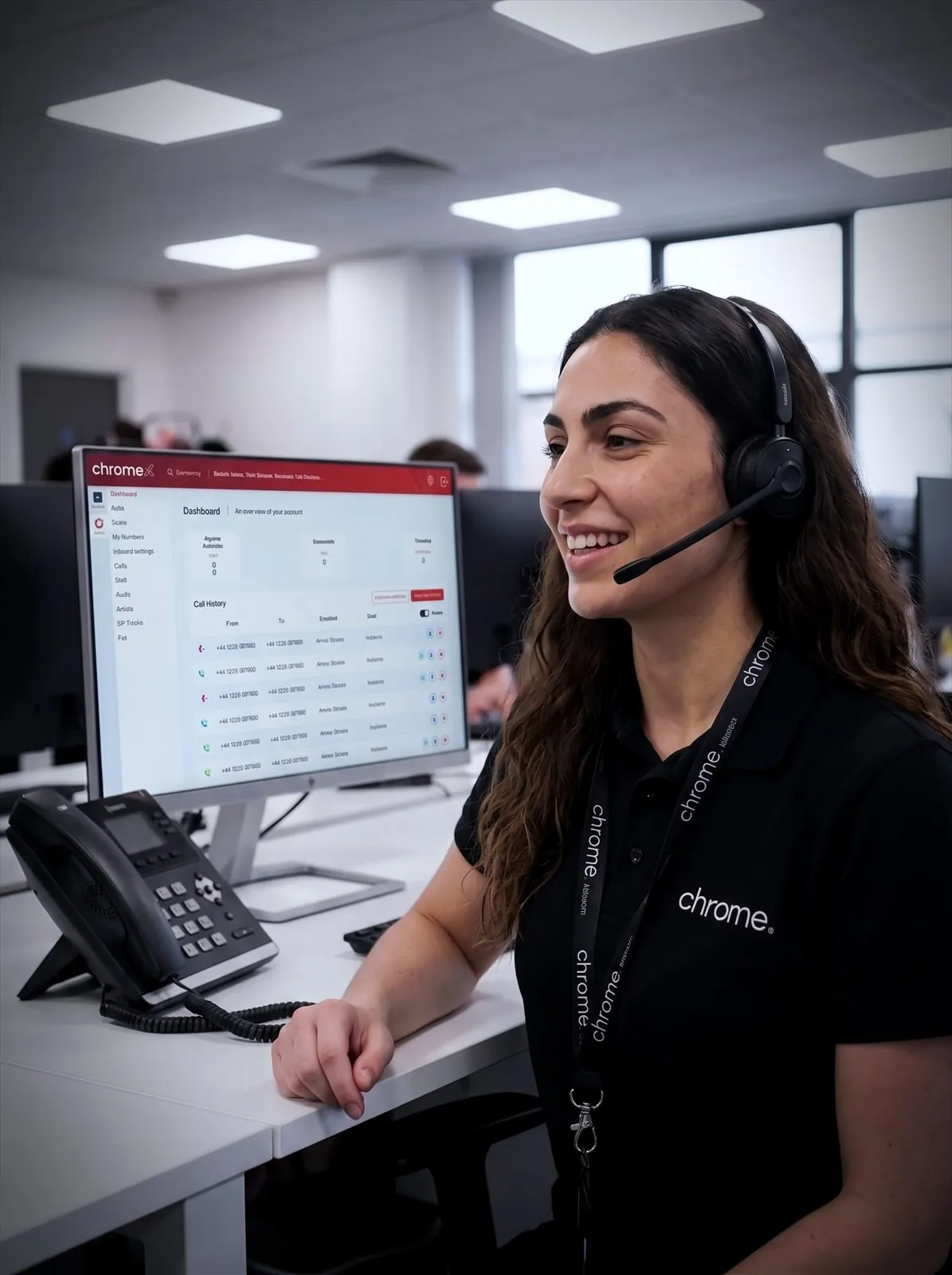

Make calls easier to handle
Use call menus, queues and opening hours to help customers reach the right team.
Keep your team connected
Answer business calls through desk phones, computers, mobiles or Microsoft Teams.
Understand call activity
Review missed calls, waiting times and call volume across your business.
Explore our voice and telephony services
Most businesses begin with a phone system or mobiles. Others need reporting, recording, CRM connections or professionally recorded messages.
Each page explains what it covers and how Chrome can help.
Business phone systems
Give your team more ways to make and receive business calls.
ChromeX brings desk phones, computer applications, mobiles, Microsoft Teams and call management tools together through one phone system, the kind of unified communications, or UCaaS, setup most UK businesses now use instead of separate phone lines at every site.
We’ll plan the move, configure the setup and train your team. Our people remain available after installation.
Business mobile phones
Keep your people reachable in the office, on site and on the move.
We’ll help you compare networks, tariffs, handsets and SIM-only options based on how each person works.
Chrome can also help with number transfers, roaming, account changes and mobile device management.
ChromeX integrations and analytics
Connect ChromeX with supported CRM platforms, Microsoft Teams and reporting tools through CRM integration built into the phone system.
Help your team recognise callers, reduce repeated admin and understand what happens when customers get in touch.
Business phone system features
Understand what call menus, queues, hunt groups, applications and other phone system tools do.
Start with the problem you want to solve, then find the features that may help.
On-hold marketing
Give callers useful information while they wait or are transferred, with on-hold messages and music written for your business rather than left on silence.
Chrome can help prepare the script, arrange the recording and add it to your phone system.
Business call recording
Listen back when you need to check what was agreed, understand a complaint or support training.
Chrome can explain the available recording, access and storage options.
Prefer to start with your industry?
Some businesses would rather see how this works in their own sector than pick a service from a list.
Our industry pages cover fifteen sectors, from dental practices and care homes to logistics, retail and construction. Each one starts from the working day rather than the technology.

Business calls that work around your team
Your customers and your team may be in different places. Someone might call the office while the right person is working from home, visiting a customer or travelling between sites.
Depending on the setup, your team can use desk phones, cordless handsets, computer applications, mobile applications, supported web browsers, Microsoft Teams or business mobiles.
We’ll help you choose the right option for each role.
One team for the technology around your calls
Your phone system and mobiles do not work alone.
They depend on your internet connection, Microsoft 365 accounts, CRM, devices and IT setup, which is why choosing a single business phone internet service provider for both connectivity and calls tends to cause fewer problems than splitting them across suppliers.
A dropped connection affects calls just as much as email, so the two are worth planning together rather than as separate purchases.
Chrome can support these services as one business telecoms provider, through one team. This means fewer suppliers to manage and less confusion about who to contact when something needs attention.
We’ll make responsibilities clear and explain how each part of the setup works with the others.
How Chrome plans the change with you
Four steps from understanding how you work to staying available afterwards.
You’ll know what happens at each stage and what your team needs to do.
We understand how you work
We explain the options
We plan the change
We remain available
Why use Chrome Voice and Telephony Services?
Chrome supports business telephony from end to end: phone systems, mobiles and the tools around them, sometimes called business communications or unified communications when a provider brings them together under one roof.
We’ll understand how your team works, recommend a sensible setup and remain available when something needs changing.
Clear advice
We explain the options in plain English and answer questions before you commit.
A setup based on how you work
We look at your people, locations and customers before recommending anything.
Support after installation
Speak to people who understand your account when you need help or a change made.
Fewer suppliers to manage
Chrome can also support your connectivity, managed IT, cyber security, CCTV and workplace tools.
Phones and mobiles handled by people you can reach
Customer reviews are one of the clearest measures of the service we provide.
Read what customers say about Chrome’s communication, support and the people behind the service in our reviews.
Voice and telephony questions we are often asked
The questions businesses usually ask before moving their phones, mobiles or both to one provider.
Can Chrome support both our phones and mobiles?
Yes. Chrome can manage business phone systems and mobile services through one team.
Can we keep our existing numbers?
In most cases, business phone and mobile numbers can be moved. We’ll check them and explain any restrictions or timescales before the change begins.
Can our team answer calls away from the office?
Yes, where suitable applications and an internet connection are available, through a computer, smartphone, supported browser or Microsoft Teams.
Can ChromeX connect with Microsoft Teams or our CRM?
ChromeX supports Microsoft Teams calling and CRM integration with several platforms. The available functions differ between systems, and we’ll check what you currently use before recommending an option.
There is more detail on our Microsoft Teams phone system page, including how ChromeX compares with Microsoft Teams Phone.
Do we need every available feature?
No. We’ll recommend tools based on what your team and customers need. Any additional licences will be explained before you commit.
What is the difference between business telephony and a business phone system?
Business telephony is the wider term for how a business handles calls, phones, mobiles, reporting and the tools around them. A business phone system is one part of that, usually the calling and call-handling side specifically. Terms like unified communications and UCaaS describe the same idea from a more technical angle, bringing calls, messaging and meetings together in one platform.
Do we need a single business communications provider, or can we mix suppliers?
Either is possible, but most businesses find one provider simpler once phones, mobiles and connectivity all depend on each other. A change to one, such as a new starter needing a phone and a mobile, is then one conversation rather than several.
Is your current phone and mobile setup still right?
Calls may be getting missed. Your team may be using several tools that do not work well together. Contracts may have grown one user at a time.
Chrome can review your current setup and explain where changes may help.
You’ll receive a clear recommendation based on the way your business works.