
Keep an eye on your systems, even when the office is closed
Some IT problems do not wait for Monday morning.
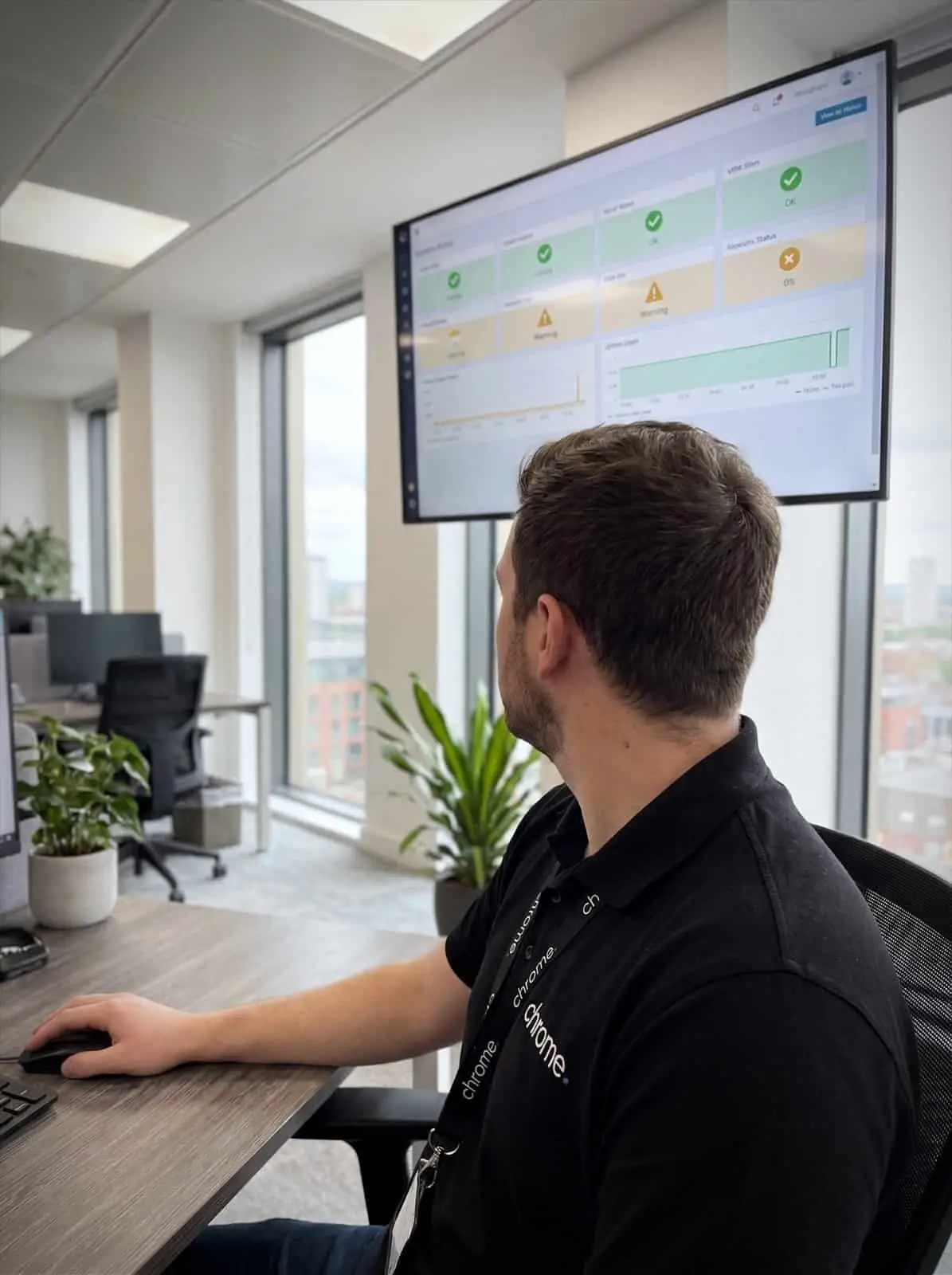

Why use Chrome 24/7 Monitoring?
A server may run out of space. A device may stop checking in. A backup may need attention. A security alert may need review before it becomes a bigger issue.
Chrome provides 24/7 monitoring and managed monitoring of agreed systems, so important alerts are seen and handled through the right support process.
This is not the same as promising that nothing will ever go wrong.
It means your business has a clearer way to spot issues, understand what needs attention and respond before avoidable disruption grows.
Spot issues earlier
Monitoring can flag signs that an agreed device, server or service needs attention.
Reduce avoidable surprises
Backup issues, storage warnings, device health and security alerts are easier to deal with when they are not discovered by accident.
Support your IT team
Monitoring can help Chrome, or your internal IT team, see what needs checking.
Keep the response clear
We’ll agree what is monitored, which alerts matter and what happens when something needs action.

What is 24/7 monitoring?
24/7 monitoring means agreed systems are checked continuously by monitoring tools.
These tools look for certain events, warnings or changes that may need attention, such as a device going offline, a server reaching a storage limit, a failed backup, a missing update or a security alert.
Monitoring does not mean every issue is fixed instantly. It also does not replace good IT support, patch management, cyber security or backup planning. It gives your business better visibility of the systems included in the service.
The value is not only in seeing an alert. It is knowing whether the alert matters, who reviews it and what should happen next.

Monitoring is not the same as 24/7 support
This page is about monitoring.
That means agreed systems can be watched outside normal working hours. It does not automatically mean every user support request is handled at any time of day.
For example, a monitoring alert may show that a backup has failed or a server needs attention. That alert can then follow the agreed response route. A user asking for help with a password reset at midnight is a different type of support request.
We’ll make the difference clear before the service starts.
Your team should know what is monitored, which alerts are reviewed, what response routes apply, which support hours apply and when an issue becomes urgent.
Clear expectations help avoid confusion when something happens outside the usual working day.
What is watched
Agreed systems and services, checked outside normal working hours.
What raises an alert
A failed backup or a server needing attention follows the agreed route.
Who responds, and when
Response routes are agreed up front, so nobody is guessing at 2am.
What is still a helpdesk job
A password reset at midnight is a support request, not a monitoring alert.
Agree what matters before alerts start
Not every system needs the same level of monitoring. Not every alert deserves the same response.
A low storage warning on an old test machine is not the same as a backup failure on a server your business depends on.
Chrome can help you decide which systems should be treated as a priority. We’ll look at how your team works, which services people rely on and what would happen if something stopped working.
The exact scope depends on your setup, but network monitoring and server monitoring may cover agreed areas such as workstations and laptops, network devices where supported, backup status, disk space and storage, device health, Microsoft 365 alerts where supported, security tools and endpoint alerts, patch and update status, and the systems your business depends on most.
Not every system can be monitored in the same way. Some tools provide detailed alerts. Others may only show limited information. Some systems may need support from another provider.
We’ll explain what can be monitored, what cannot, and where another supplier remains responsible. That way, monitoring does not become a mystery box with a dashboard attached.
Useful alerts, not background noise
Monitoring tools can create a lot of alerts.
Some matter. Some need checking. Some are useful only when they keep happening.
Chrome can help tune your system monitoring and alerting so it focuses on useful information. That means agreeing which alerts should be raised, when they should be escalated and what action should follow.
Too many alerts can become background noise. Too few can leave gaps. The aim is to get the balance right, so your team is not buried in warnings but important issues are not missed.
A dashboard does not help much if nobody knows what to do with it.
Monitoring, patching and cyber security
Monitoring works best when it sits alongside wider IT management.
If a device keeps showing errors, it may need support. If software is out of date, patch management may be needed. If a security tool raises an alert, it may need investigation. If a backup fails, the backup process needs checking.
Chrome can connect monitoring with agreed services such as managed IT, co-managed IT, patch management, cyber security, backups and Microsoft 365 support.
This gives your business a clearer view of what is happening and what needs action. It also helps avoid monitoring becoming a list of problems with no plan attached.
Support for internal IT teams
24/7 monitoring can be useful for businesses with their own IT person or internal team.
Your team may already handle day-to-day support, user requests and business-specific systems.
Chrome can help by monitoring agreed areas and raising issues through a clear route. This can give your internal team more visibility without asking them to watch every system at every hour.
We’ll agree what Chrome reviews, what your internal team handles and how alerts are escalated. This can work well as part of a co-managed IT setup.
Your team keeps control. Chrome helps keep an eye on the parts you agree.
Reporting and service reviews
Monitoring should help your business understand what is happening over time.
Chrome can review monitoring activity as part of agreed service reviews. This may include recurring issues, device health, backup alerts, patch status, security events or systems that need further attention.
The aim is to spot patterns, not just individual problems.
Repeated storage warnings may point to a capacity issue. Regular backup alerts may mean the backup process needs changing. Several device health alerts may show that older equipment needs reviewing.
Useful reporting gives your team clearer evidence when planning improvements, budgets or future projects.
How Chrome helps
Monitoring only helps if everyone knows what it covers. This is how we agree that with you.
Understand your setup
Agree what should be monitored
Set the response route
Monitor and respond
Review and improve
Better visibility before issues become bigger problems
24/7 monitoring works best when it gives your business a clearer view of the systems it relies on.
Read what customers say about Chrome’s communication, support and the people behind the service in our reviews.
Common questions about out-of-hours cover
Common questions about 24/7 monitoring: what is actually watched, which alerts are reviewed and how that differs from out-of-hours helpdesk support.
What is 24/7 monitoring?
24/7 monitoring means agreed systems are checked around the clock by monitoring tools. These tools raise alerts when something needs review, such as a device issue, failed backup, storage warning or security event.
Is 24/7 monitoring the same as 24/7 support?
No. Monitoring means agreed systems are watched outside normal working hours. User support and engineer response times depend on the service arrangements agreed with Chrome.
What can Chrome monitor?
This depends on your setup. Monitoring may cover agreed servers, devices, backups, updates, security tools, Microsoft 365 alerts and other supported systems.
Does monitoring stop problems from happening?
No. Monitoring helps spot issues earlier and gives your team a clearer response route. It should sit alongside good support, patching, backups and cyber security.
Can monitoring support our internal IT team?
Yes. Chrome can monitor agreed systems and work with your internal IT team through a co-managed setup. We’ll agree responsibilities before the service starts.
Is 24/7 monitoring included with managed IT support?
It depends on the package. Some managed IT support already includes monitoring; in other cases it is agreed separately. We’ll confirm what is included before you commit.
Do you know what happens when an alert appears out of hours?
Your business may rely on systems that need more than an occasional check.
Chrome can help monitor agreed devices, servers, backups and security alerts, then follow a clear response process when something needs attention.
You’ll know what is being watched, what happens next and who is responsible.