
5G connectivity for sites, offices and backup internet
Some locations need internet access without waiting for a fixed line.
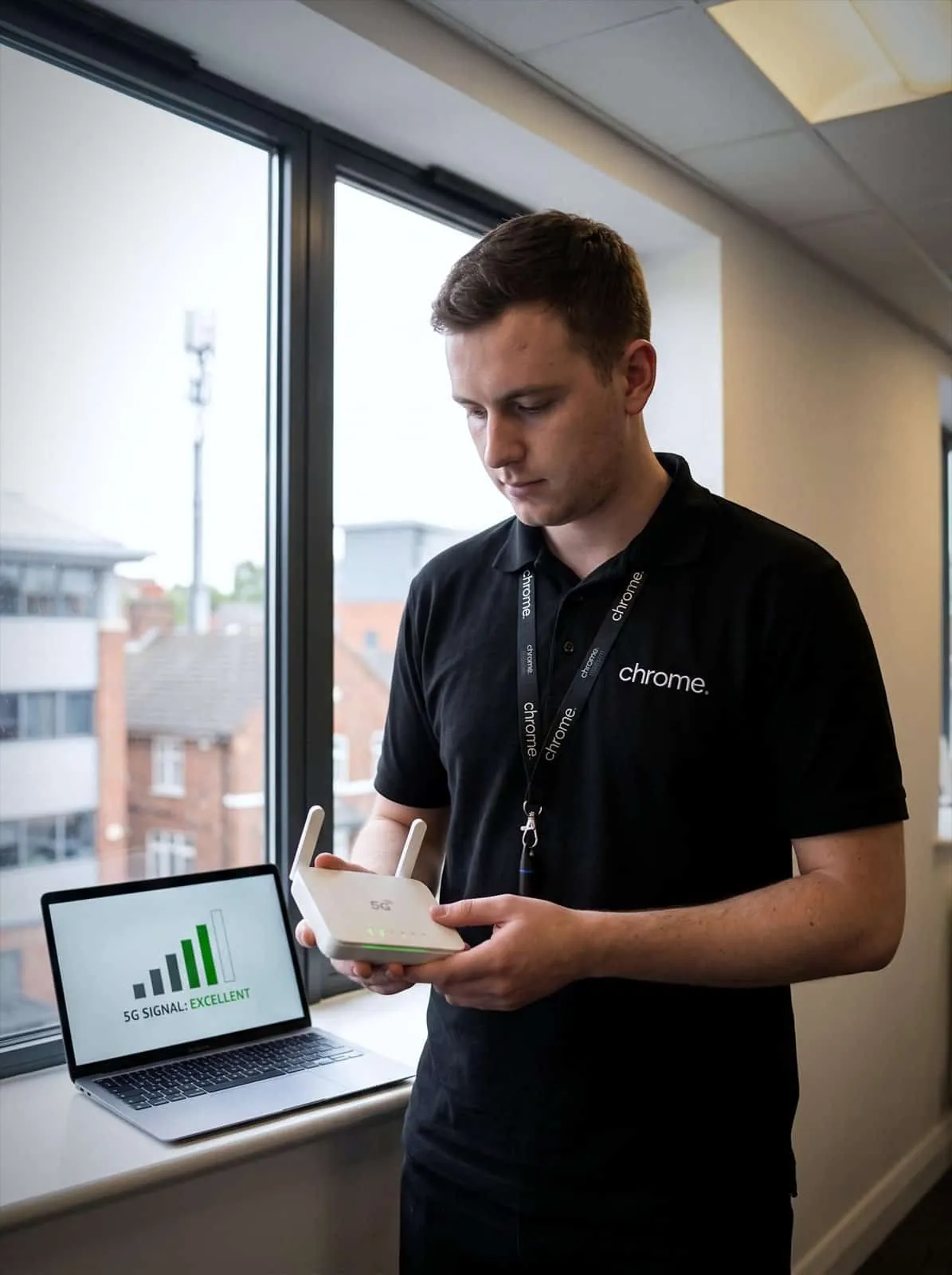

Why use Chrome 5G Connectivity Services?
Others need another route online if the main connection has a problem.
Chrome can help you use 5G broadband as a main business internet service where suitable, or as a backup route for your fixed connection.
You’ll get a setup based on the location, signal, equipment and the services you need to support, not a one-size-fits-all recommendation.
Use 5G as your main connection
5G may suit some offices, shops, site cabins or harder-to-connect locations where a fixed line is limited, delayed or not the right fit.
Add a backup route online
A 5G connection can give selected services another route online if the main line has an issue.
Support temporary sites
Mobile connectivity may help new sites, pop-up locations, short-term projects or premises waiting for a fixed service.
Speak to one Chrome team
Chrome can support your 5G service alongside your business internet, phone system, IT and other agreed services.

What is 5G connectivity?
5G connectivity uses a mobile network to provide internet access, sometimes called mobile broadband for business.
A 5G router connects to the mobile network using a SIM. Your devices can then connect through the router, usually by wired network, Wi-Fi or both.
For some businesses, 5G can be used as the main internet connection. For others, it works best as a backup connection that sits behind the fixed line and is ready if the main connection has a problem.
The right setup depends on the signal at the premises, the network available, the equipment used and what the connection needs to support.
5G can be useful, but it still needs planning.

What Chrome checks first
5G coverage can change from one location to the next.
It can also change between networks, rooms and building types.
A postcode result is a useful starting point, but the real question is whether the service works well enough where the router will be installed.
Chrome can help check which mobile networks may be suitable, whether indoor or outdoor signal needs further review, where the router should be placed, whether an external antenna or dual SIM router may help, which devices and services need access, whether 4G fallback is available, and which data plan suits the likely usage.
Coverage maps are helpful. Walls, windows and warehouse roofs sometimes have other ideas.
That is why we check the setup before recommending 5G as a main connection or backup route.
Which networks work here
Coverage differs between providers at the same address.
Indoor or outdoor signal
Building type changes what actually reaches the router.
Where the router goes
Placement often matters more than the postcode result.
Whether an aerial helps
External equipment where the indoor signal is not enough.
Your main connection
5G can be a practical option where a fixed-line service is not available, not ready in time or not the best fit for the location.
It may suit temporary offices, cabins or site buildings, shops, clinics, studios or small offices, new premises waiting for fibre installation, pop-up locations or short-term projects, and sites where fixed connectivity options are limited.
Before recommending 5G as the main connection, Chrome will look at what the site needs to do online.
A small site using email, cloud documents and card payments may have different needs from a team using cloud phones, video meetings and large file transfers.
You’ll also get a straight answer on the router, SIM, business SIM only options where relevant, data plan, signal quality and whether any external equipment may be needed.
Not every 5G setup should be expected to support everything at once.
Where the site needs constant high-capacity access, a fixed connection or leased line may still be the better long-term answer.
Backup internet
When the main internet connection stops working, the impact can reach phones, payments, cloud systems, files and customer service.
A 5G backup connection can provide another route online for selected services.
For some businesses, the router can switch to 5G when the fixed line has an issue. For others, the 5G service may be used manually when needed.
You’ll know how the changeover works, whether it is automatic or manual, and which systems should take priority.
The backup connection may not provide the same speed or capacity as your main service.
It may not be designed to carry every device and application at once.
That is why we agree what matters most before there is a problem.
Temporary sites and new premises
5G can be helpful when a business needs internet access before a fixed line is ready.
This may include construction site offices, new branches, temporary clinics, events, retail pop-ups and short-term projects.
Fixed services can take time to arrange. Some may need surveys, permissions or work at the premises.
5G can give the site a practical way to get online while the longer-term service is arranged.
We’ll make clear whether the 5G connection is intended as a temporary service, a main connection or backup once the fixed line goes live.
5G, business internet and ChromeX
5G connectivity is one part of the wider setup.
Your team may also rely on a fixed internet connection, ChromeX, Microsoft 365, workplace Wi-Fi, managed IT or CCTV.
These services often depend on each other.
For example, if a cloud phone call is breaking up, the cause could be the connection, router, Wi-Fi, device or the phone system itself.
Because Chrome can support more of the setup, your team has one place to start when something needs investigating.
We’ll document what Chrome manages and where another network, landlord, equipment provider or supplier remains responsible.
From coverage check to a working connection
5G is worth checking properly before you rely on it. This is how we work through it with you.
Understand the site
Check the available networks
Recommend the setup
Set it up and support it
A practical connection when the site needs another option
5G can be helpful when a fixed line is not ready, not available or needs a backup route.
Chrome can help customers understand what 5G should support and how it fits into the wider setup.
Read what customers say about Chrome’s communication, support and the people behind the service in our reviews.
What businesses ask about mobile broadband
Common questions about 5G connectivity: where it works, how it compares to fixed lines and what happens if the signal changes.
Can 5G be used as our main business internet connection?
Yes, where the signal, data plan and site requirements make it suitable. Chrome will check the location and what the connection needs to support before recommending 5G as the main service.
Can 5G be used as backup for our main internet line?
Yes. A 5G connection can provide another route online if the main service has an issue. We’ll explain whether the changeover is automatic or manual, and which systems the backup should support.
Is 5G available everywhere?
No. 5G coverage varies by location, mobile network, building and router placement. That is why we check the site before recommending the setup.
What happens if there is no 5G signal?
4G may still be an option in some locations. If mobile coverage is limited, we can also discuss fixed-line services or satellite connectivity.
Is 5G better than fibre?
Not always. 5G can be useful for temporary sites, flexible locations, quicker setup or backup. Fibre or a leased line may be better for long-term sites, heavier use or where stronger service commitments are needed.
Which mobile networks does Chrome use for business 5G?
Coverage and network choice depend on your location and what performs best there. Chrome will confirm the most suitable mobile network for your address before recommending a setup.
Need a main connection or a backup route?
Your site may be waiting for fibre, working somewhere temporary or relying on one fixed line with no second route online.
Chrome can check whether 5G is a sensible option and explain how it would fit into your wider setup.
You’ll get clear advice on the connection, equipment, data plan and support before you make a decision.