
Satellite connectivity for remote sites and backup internet
Some locations are not easy to connect with fixed broadband, fibre or mobile networks.

Why use Chrome Satellite Connectivity Services?
Others need another route online when the main connection has a problem.
Chrome can help you use satellite internet for business as a main internet service where suitable, as a temporary connection, or as a backup route for selected systems.
You’ll get a setup based on the location, equipment, expected usage and the services you need to support, not a generic package.
Because a dish with a view of the sky is useful. A plan for how it fits into the business is better.
Connect remote locations
Satellite may help where fibre, fixed broadband or mobile coverage is limited.
Support temporary sites
It can be useful for site offices, pop-up locations, short-term projects or premises waiting for another service.
Add another route online
Satellite can provide a backup connection where another fixed or mobile option is not suitable.
Speak to one Chrome team
Chrome can support your satellite setup alongside business internet, phones, IT and other agreed services.

What is satellite connectivity?
Satellite connectivity provides internet access through satellite equipment installed at the premises or site.
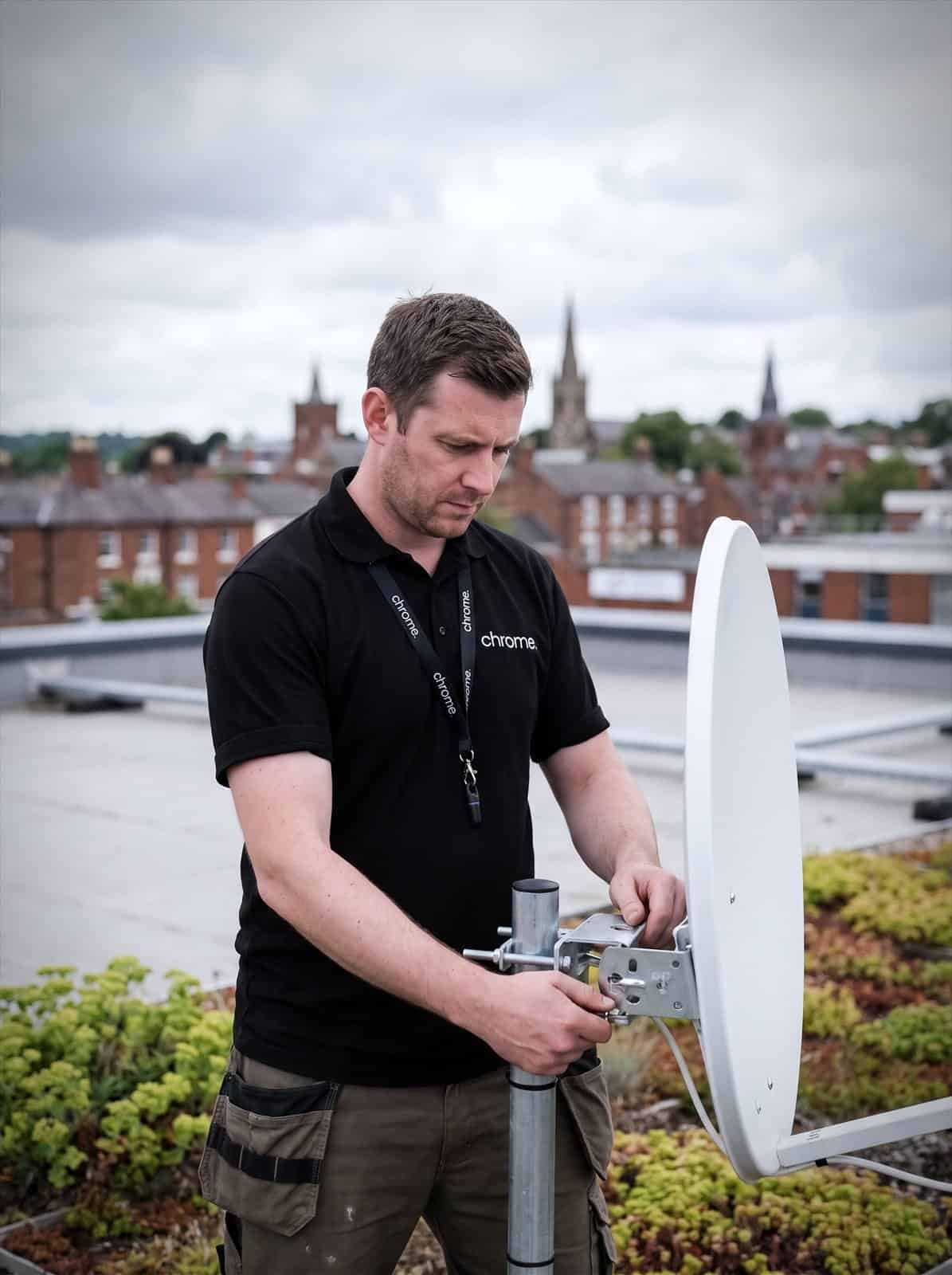
A typical setup may include a dish or VSAT terminal, mounting equipment, cabling, a router and a service plan.
The equipment connects to satellites above the earth, often using modern LEO satellite internet technology that orbits closer to the planet than older systems, then carries internet access into the building or site network.
For some businesses, satellite may be used as the main connection. For others, it works better as a temporary service or backup route for selected systems.
The right setup depends on the location, equipment position, service plan, expected usage and what the connection needs to support.
Satellite broadband in the UK is a useful option. It is not a shortcut around planning.
The equipment
A dish or VSAT terminal, mounting, cabling and a router.
Where it helps
Sites where fixed lines and mobile signal both fall short.
LEO services
Newer low-orbit systems with lower latency than older satellite.
Installation
Mounting and cabling planned around the building or site.
What Chrome checks first
Satellite is not chosen on postcode alone.
Before recommending it, Chrome will look at the practical details that affect whether it is suitable.
We can help check whether fibre, fixed broadband or 5G are available, where the satellite equipment could be installed, whether the equipment has a clear view of the sky, how the service will connect into your network, which systems need internet access, whether the service is main, temporary or backup, what usage and performance the site is likely to need, and who is responsible for equipment, cabling and support.
This helps avoid choosing satellite simply because another connection is difficult to arrange.
Compare satellite with your other options
Satellite is one part of the wider connectivity picture.
In some locations, business broadband, full fibre, a leased line or 5G may be a better fit. In others, satellite may be the option that makes the site workable.
Chrome can help compare the available routes and explain the difference in plain English.
You’ll get a comparison that considers the location, likely usage, installation times, equipment, support and backup requirements.
This helps you choose based on the site and the work being done there, not just the product name.
Use satellite as a main or temporary connection
Satellite connectivity may be suitable where a fixed service is not available, not ready in time or not practical for the location.
It may help rural offices or premises, construction site cabins, farms, estates or land-based businesses, remote workshops or depots, temporary clinics or project sites, event spaces and pop-up locations, and locations waiting for fibre installation.
Before recommending satellite as the main connection, Chrome will look at what the site needs to do online.
A small site using email, card payments and cloud documents may have different needs from a team using cloud calls, video meetings and large file transfers.
We’ll also discuss where the equipment will sit, how users will connect, whether Wi-Fi is needed and what support applies after installation.
Where full fibre, a leased line or 5G is suitable and available, those options may still be a better long-term answer.
The right connection is the one that fits the site, not the one with the most interesting equipment.
Use satellite as backup internet
When the main connection stops working, the impact can reach phones, payments, cloud systems, files and customer service.
Satellite can give selected services another route online where fixed or mobile backup options are limited.
For some businesses, satellite may sit behind the main connection and be used when needed. For others, it may be part of a wider plan alongside business broadband, 5G or a leased line.
You’ll know how the backup route works, which systems should take priority and what your team should expect during an issue.
The backup service may not have the same capacity as the main connection. It may not be intended to support every device and application at once.
That is why we agree what matters most before there is a problem.
What do you need satellite to support?
Satellite connectivity should be planned around the work taking place at the site.
Depending on the setup, it may help support email, web access, cloud applications, payment devices, selected remote access, temporary site offices and workplace Wi-Fi.
It may also support cloud phone systems where the service is suitable.
Voice and video can be more sensitive to connection performance, so we’ll check the requirements before recommending satellite for those services.
For heavier use, such as large file transfers or several video calls at the same time, we’ll talk through the likely demand and whether another type of connection would be better.

Plan the equipment and installation
Satellite connectivity needs the right equipment in the right place.
A typical setup may include a dish or terminal, mounting equipment, cabling, a router and a connection into your local network.
Some sites may need permission from a landlord, building owner or site manager before equipment is fitted.
Chrome can help you understand what needs to be checked before installation, including where the equipment can be mounted, how cabling will reach the router, whether power is available and how users will connect.
You’ll also get confirmation on whether workplace Wi-Fi is needed and which parts Chrome manages after installation.
Your team should know what is being installed, what it supports and who to contact when something needs checking.
Satellite, phones and IT through one team
Your connection may support more than laptops and browsing.
It may also carry cloud calls, connect payment services, support Microsoft 365, provide access to files and help workplace systems stay online.
If something is not working as expected, the cause could be the satellite service, router, Wi-Fi, device, phone system or another part of the network.
Because Chrome can support more of the setup, your team has one place to start when something needs investigating.
We’ll document what Chrome manages and where another provider, landlord, equipment supplier or network operator remains responsible.
From site check to installed and supported
Satellite suits some sites better than others. This is how we work through it with you.
Understand the site
Check the connection options
Plan the setup
Set it up and support it
A practical connection when other routes are limited
Satellite can help when a site is remote, temporary or waiting for another connection.
Chrome helps customers understand whether it is the right option and how it fits into the wider setup.
Read what customers say about Chrome’s communication, support and the people behind the service in our reviews.
Where satellite works, and where it does not
Common questions about satellite connectivity: where it makes sense, what gets installed and what performance to expect.
Can satellite be used as our main business internet connection?
Yes, where the site, equipment position, service plan and usage make it suitable. Chrome will check what the connection needs to support before recommending satellite as the main service.
Can satellite be used as backup internet?
Yes. Satellite may provide another route online where fixed or mobile backup options are limited. We’ll explain how the backup route works and which systems it should support.
Is satellite suitable for every site?
No. The equipment needs a suitable location and a clear enough view of the sky. We’ll check the practical setup before recommending it.
Is satellite better than fibre or 5G?
Not always. Satellite may be useful where fixed and mobile options are limited, delayed or unsuitable. Where full fibre, a leased line or 5G is available and fits the site, those options may be better.
Can satellite support cloud phones?
It may be able to support cloud phones where the service is suitable. Voice is sensitive to connection performance, so we’ll review the setup before recommending satellite for calls.
How much does satellite connectivity cost?
Satellite broadband cost depends on the equipment, service plan and data usage your site needs. We’ll confirm pricing once we understand the setup.
Need to connect a site that is not easy to reach?
Your site may be remote, temporary, waiting for fibre or lacking a suitable backup route.
Chrome can help check whether satellite connectivity is a sensible option and explain how it would fit into your wider setup.
You’ll get clear advice on the service, equipment, installation and support before you make a decision.