
Protect the network your team uses every day
Your network helps the working day happen.
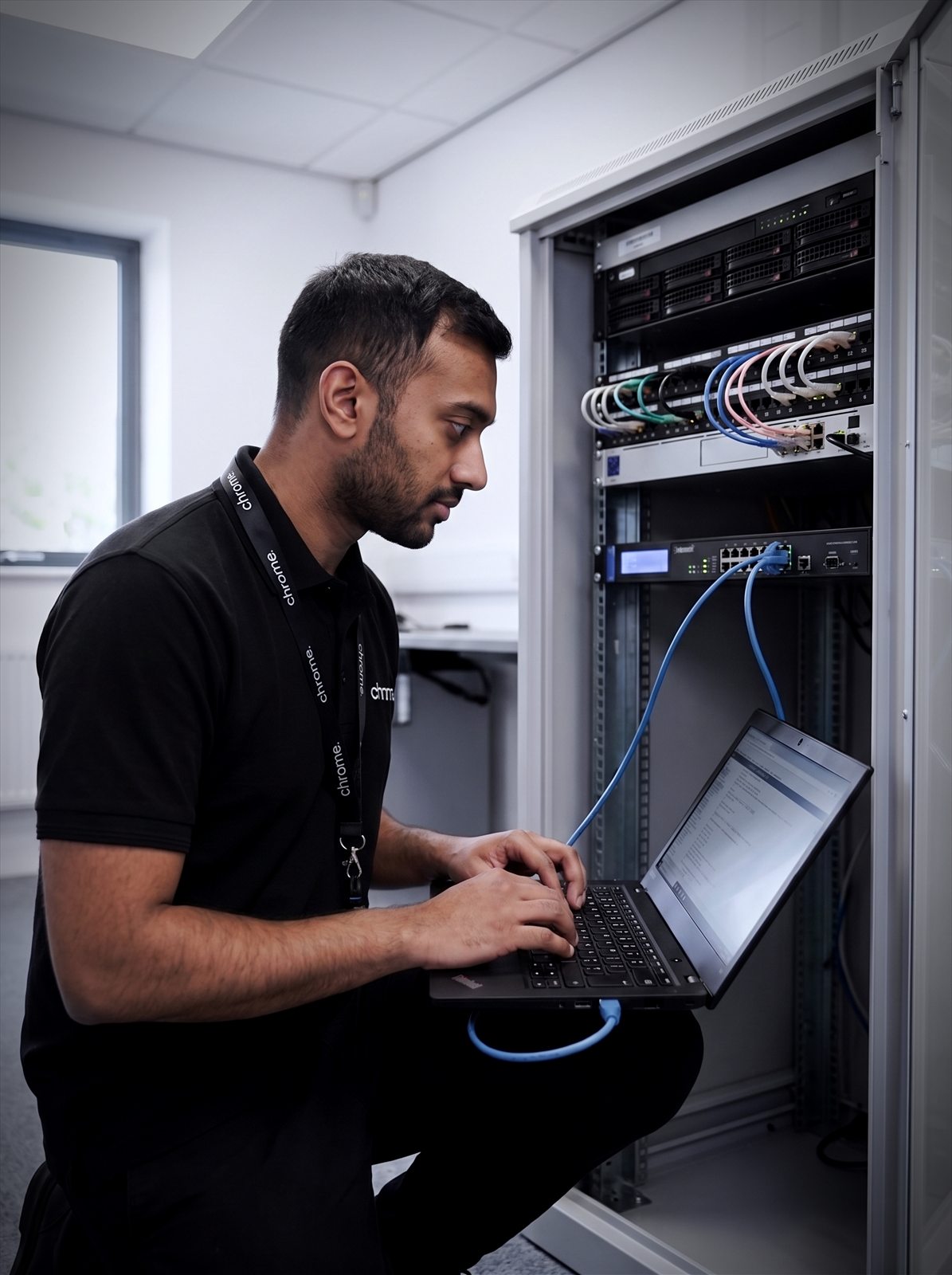

Why use Chrome Network Security?
It connects laptops, mobiles, phones, printers, servers, Wi-Fi, cloud tools, payment systems, CCTV, visitor access and business applications.
When it works well, people barely notice it. When it does not, the whole team can feel the impact very quickly.
Network security helps protect the way those devices, users and systems connect. It can also make it clearer who has access, what is exposed, which suppliers manage each part and where problems may appear.
Chrome helps UK businesses with network security services across firewalls, Wi-Fi, remote access, connected devices and wider cyber security.
The aim is simple: make your network easier to understand, easier to protect and easier to support.
Protect the way people connect
Review how users, devices, offices, remote workers and systems connect to business services.
Keep firewalls and access clearer
Chrome can help review firewall setup, remote access, guest access and supplier responsibilities.
Support safer Wi-Fi
Separate staff, guest and device access where needed, so everything is not sitting in the same place.
Link network security with wider support
Network security works best alongside managed IT, cyber security, connectivity, device management and monitoring.

What is network security?
Network security is the protection around the devices, connections and settings that allow your business network to work.
It can include firewalls, routers, switches, wireless access points, virtual private networks, remote access, device access, network monitoring and security settings.
It can also involve how your network is set up. For example, staff devices, guest Wi-Fi, phones, CCTV and payment devices may not all need the same level of access. Suppliers may need a safe way to connect, and remote workers may need access to business systems without opening more doors than needed.
Good network security should answer practical questions: who can connect, which devices are allowed, whether old rules are still needed, whether guest Wi-Fi is separate from internal systems, who manages the firewall, router and wireless access points, and what happens when a supplier, site or user changes.
Chrome can help explain the setup in plain English, so your team understands what is being protected and where responsibility sits.
Firewalls and routers
The equipment that controls what reaches your network.
Wireless and guest access
Keeping staff devices and visitor Wi-Fi properly separated.
Remote access
VPNs and remote connections set up deliberately.
Monitoring and settings
Reviewing what is on the network and how it is configured.
Why network security gets messy
Most business networks grow over time.
A new office opens, a guest Wi-Fi network is added, a phone system needs its own settings and CCTV is installed. A supplier then needs remote access, someone adds a new router or switch, and a few years later nobody is completely sure what still does what.
This is common, but it can make support harder.
Old devices may still be connected. Firewall rules may have been added for a supplier who no longer works with you. Remote access may not have been reviewed for years, and guest Wi-Fi may be too close to internal systems.
Chrome can help review the current picture before recommending changes. We’ll look at the systems, sites, users, devices and suppliers involved, then explain where the main gaps may be.
The first step is not always buying something new. Sometimes it is a network audit to understand what is already there.
Firewalls, routers and remote access
Firewalls and routers help control how traffic moves between your business network, the internet and other services.
They can support controls around access, filtering, remote users, site-to-site connections and internet-facing services.
Chrome can help review how these devices are managed and whether the setup still fits your business, through firewall management for your business firewall covering firewall rules, remote access routes, admin access, firmware updates, logging, guest networks and supplier handovers.
Remote access also needs careful thought. Some businesses use a virtual private network, often called a VPN. Others may use cloud services or supplier-managed platforms. The right approach depends on your systems, users and risk.
We’ll explain the options clearly and confirm what Chrome manages, what another supplier manages and what may need a separate project.
The goal is to give the right people the right access, with fewer loose ends.
Wi-Fi, guest access and connected devices
Wi-Fi is often one of the busiest parts of the network.
Staff use it throughout the day, while visitors may need internet access during meetings. Phones, tablets, printers, card machines, CCTV, meeting room screens and other connected devices may also depend on the same network.
That makes Wi-Fi useful, but it also means it needs structure.
Chrome can help review your Wi-Fi security across your office, site or workplace. This may include staff Wi-Fi, guest Wi-Fi, device networks, coverage, passwords, access rules and support responsibilities.
Guest Wi-Fi should be treated carefully. Visitors may need internet access, but that does not mean they should be able to reach internal systems.
The same applies to some connected devices. A printer, camera or screen may need network access, but it may not need access to everything.
Chrome can help you understand where separation may be useful and how to support it without making day-to-day work harder.
Network security for remote and multi-site teams
Many businesses now work across more than one location.
That may mean offices, homes, warehouses, branches, sites, clinics, shops or people working on the road.
Each location can add questions around access, devices, connectivity and support. Users need to reach the systems they rely on, but the business also needs to understand which devices are connecting, who manages the equipment and what happens if something stops working.
Chrome can help review the network behind remote and multi-site working, including connectivity, secure access, device management, cloud services, phones, Wi-Fi and support routes.
This is where Chrome’s wider service range can help. A network issue may involve broadband, Wi-Fi, Microsoft 365, the phone system, a device or an account setting.
Having one team that understands more of the setup can make the first conversation easier.
Monitoring, updates and ongoing review
Network security should not be reviewed once and then forgotten.
Devices need updates, firewall rules need checking and remote access needs reviewing. Suppliers change, users leave and new systems are added.
Chrome can help connect network security with agreed network monitoring, patch management and managed IT support.
This does not mean every issue can be prevented. It means your business has a clearer way to spot what needs attention and decide what should happen next.
A useful review can help answer simple questions. Are important devices still supported? Are rules still needed? Are remote users set up correctly? Are guest networks separate from internal systems?
That kind of clarity makes the network easier to manage over time.
Network security and wider cyber security
Network security is one part of your cyber security setup.
It should work alongside email security, Cyber Essentials, awareness training, managed DMARC, device management, password management, patching and backups.
Cyber Essentials includes firewall and secure configuration controls. Patch management can help keep supported network devices and systems up to date, while password management can reduce risky shortcuts around admin access.
Some businesses also use network penetration testing to look for weaknesses in the network from the outside, which sits alongside the ongoing setup and review work covered here.
Network security also connects with the services your team uses every day. A suspicious email may reach a user through the inbox, not the network. A lost device may need account checks as well as device support. A remote access issue may involve connectivity, permissions and user guidance.
Chrome can help bring these areas together through one team.
We’ll explain what Chrome manages and where another provider remains responsible, so your business has a clearer place to start when something needs checking. See all cyber security services.
Working through your network
Here’s how we approach network security, step by step.
Understand your network
Review the current setup
Identify the main gaps
Plan the right changes
Review over time
A clearer view of the network behind the working day
Network security works best when a business understands what is connected, who can access it and who looks after each part.
Read what customers say about Chrome’s communication, support and the people behind the service in our reviews.
What businesses ask about their own network
Common questions we hear from businesses reviewing their network security.
What is network security?
Network security is the protection around the devices, connections and settings that allow your business network to work. It can include firewalls, routers, Wi-Fi, remote access, network devices, monitoring and access controls.
Can Chrome help review our firewall?
Yes, where the firewall is included in the agreed service scope. As a firewall for business option, Chrome can help review firewall setup, rules, remote access, admin access and supplier responsibilities as part of managed firewall support.
Can guest Wi-Fi be separated from our main network?
Yes, where the network equipment and setup support it. Chrome can help review whether staff, guest and device access should be separated.
Does network security stop every cyber attack?
No. Network security helps reduce risk and improve control, but it should sit alongside wider services such as email security, patch management, awareness training, backups and managed IT support.
Is your network still set up for the way your business works?
Your business may rely on more devices, sites, remote users and suppliers than it did a few years ago.
Chrome can help you review firewalls, Wi-Fi, remote access and network responsibilities, then agree the next practical step.
You’ll get clear advice on what needs attention and how network security fits into your wider cyber security setup.