
Manage who can enter your premises
Keys are simple until they are not.
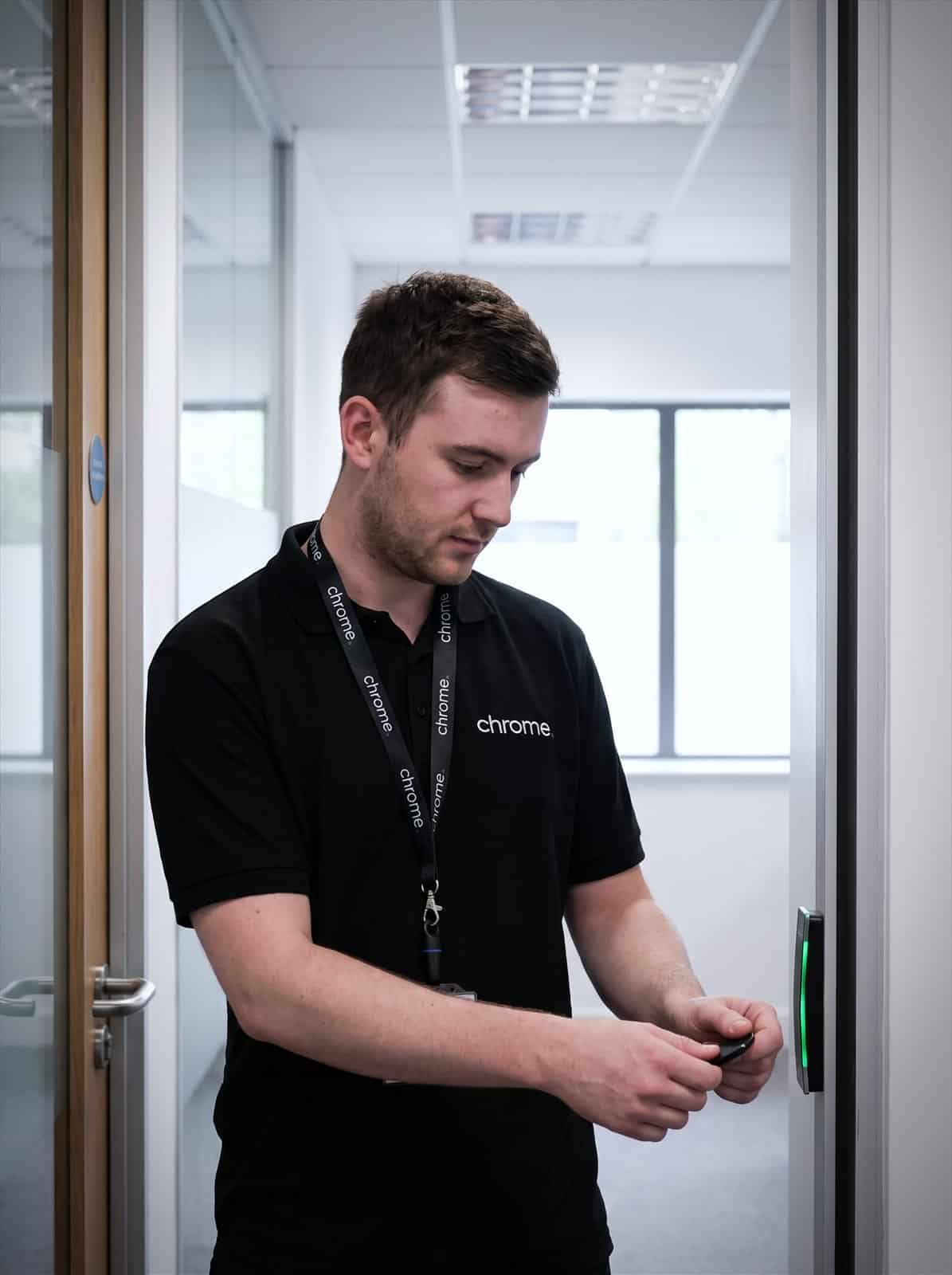

Why use Chrome Access Control Services?
People join, people leave, contractors need access and managers need different permissions. A key can also go missing, get copied or sit in a drawer long after someone has left the business.
An access control system gives your business a clearer way to manage entry to agreed doors, rooms and areas.
Chrome helps UK businesses plan, install, and support access control installation around the way their premises are used, whether that means a simple fob entry system for one office or a wireless access control setup across several sites.
We’ll help you think through doors, users, permissions, schedules, fobs, cards, keypads, access logs and the wider technology behind the system.
The aim is simple: make access easier to manage without making everyday movement around the site harder than it needs to be.
Reduce reliance on keys
Access control can help replace or reduce physical keys for agreed doors, rooms and restricted areas.
Manage user permissions
Give the right people access to the right areas, then update permissions when roles change.
Support starters and leavers
Add access for new users and remove access when someone leaves, without changing locks every time.
Connect access with wider security
Access control works best when it fits with CCTV, networks, connectivity, user processes and support.

What is access control?
Access control is a system that helps manage who can enter agreed parts of your premises.
Instead of relying only on physical keys, users may be given access through fobs, cards, keypads, mobile credentials or another approved method, depending on the system.
Access can often be managed by user, group, door, area or time of day.
For example, office staff may need weekday access to the main entrance, while managers may need access to a stockroom, comms room or office access area. Contractors may only need access for a set period, and cleaners may need access outside normal hours.
Good access control should answer practical questions before it is installed.
Which doors need control? Who needs access? Who approves changes? What happens when someone leaves? Are access events logged? How does the system work with fire safety and emergency routes? Who supports it if something stops working?
Chrome can help you work through those questions and plan a setup that fits your site.
Fobs, cards and keypads
Give people a credential instead of another physical key.
Access by door or area
Decide who can reach the stockroom, comms room or offices.
Access by time of day
Weekday-only entry, or out-of-hours access where it is needed.
Changes without a locksmith
Remove a lost fob or a leaver’s access straight away.
Start with the site and the people
Access control should be planned around how your premises work.
Before recommending equipment, Chrome will look at the building, entrances, internal doors, visitor routes and areas that need extra control.
We’ll also look at the people who use the site, including staff, managers, visitors, contractors, cleaners, delivery drivers, site teams and people working outside normal hours.
These details matter because access should make sense in the real working day.
A busy reception entrance needs a different approach from a server room, stock area, warehouse door or shared building entrance.
The physical setup matters too.
Doors, locks, cabling, network points, power, fire safety, emergency procedures and existing systems can all affect what is possible.
Chrome can help review the practical setup before work begins, so the system is easier to install, explain and support later.
Access methods, permissions and schedules
Different sites need different ways to let people in.
Some businesses use fob access control or cards, sometimes through a dedicated card access system, because they are simple to issue and remove. Others may use keypad access control for certain areas, cloud based access control managed remotely, or mobile access control where the system supports it.
The right method depends on your users, doors, security needs and how often access changes.
A small office may need simple office access control for the main entrance and a few restricted rooms. A warehouse, school, clinic, retail site or multi-site business may need different access levels, schedules and user groups.
Chrome can help you compare the options in plain English.
We’ll also help you plan permissions around the way people work.
That means deciding who can enter which areas, when they can enter and who approves changes.
For example, a finance team may need access to one office. A warehouse team may need access to stock areas. Managers may need wider permissions, while contractors may only need access during agreed times.
This helps avoid giving everyone access to everything just because it is easier at the start.
Where biometric access control is being considered, it needs extra care because it can involve sensitive personal data. Chrome can help with the practical system conversation, but your business should take suitable legal, compliance or data protection advice before using biometric features.
Visitors, contractors and reception access
Not everyone who reaches your entrance is a member of staff.
Visitors, couriers, contractors and interviewees may all need a way in that is simple for them and easy for your team to manage.
Some businesses handle this with a video door entry system or an intercom system at the main entrance, so reception or a manager can see and speak to someone before letting them in.
Others use a visitor management system alongside access control, so visitor sign-in, host notifications and temporary access can sit together rather than relying on a paper book at reception.
Chrome can help you think through what suits your site, from a simple entry system at the door to a fuller visitor management system linked with access control software.
Starters, leavers, contractors and access logs
Access control should connect with the way your business manages people.
When someone joins, they need the right access from day one. When someone changes role, old access may need removing. When someone leaves, their fob, card, credential or code should be removed from the system.
Contractors and temporary staff also need careful handling, especially when access should only last for a set period.
Chrome can help link access control with your starter, leaver and visitor processes.
That may include user records, fob or card management, access groups, schedules and agreed support routes.
This is where access control can be more practical than keys. A lost key may mean changing locks, while a lost fob or card can often be disabled, depending on the system and setup.
Access logs can also help your business review activity, where the system supports logging.
They may show when a fob, card, code or credential was used at an agreed door or area. This can be useful when reviewing incidents, checking out-of-hours access, looking at contractor entry or understanding activity around restricted areas.
Access logs should be handled carefully because they may include personal information. Your business should know who can view them, how long they are kept and when they should be reviewed.
Chrome can help with the practical setup of user permissions, system access and support routes. Legal, HR or compliance wording should be checked by the right adviser where needed.
Access control and CCTV
Access control and CCTV can work well together.
Access control can help show who used a door or credential, while CCTV can give visual context around what happened in that area.
For example, an access event may show that a door was used at a certain time. CCTV may help show whether someone entered alone, carried goods, allowed another person in or used the area as expected.
The right setup depends on your site, systems and privacy requirements.
Some businesses need access control only. Others may benefit from CCTV at entrances, stock areas, yards, reception spaces or restricted rooms.
Chrome can help you decide whether the two systems should work together or whether a simpler setup is enough.
We’ll keep the advice practical and explain what each system can and cannot show.
Access control and wider technology
Modern access control can depend on more than the door reader.
The system may need cabling, controllers, power, network connections, software, user accounts and support when something changes.
That is where Chrome can help.
We support business technology across phones, mobiles, connectivity, managed IT, cyber security, CCTV and workplace tools. That means we can look beyond the door hardware and check the wider setup too.
An access issue may involve a fob, card, reader, door controller, network point, user permission or software setting.
Having one team that understands more of the setup can make support easier.
We’ll explain what Chrome manages and where another provider remains responsible, especially where doors, locks, fire systems or electrical work are involved.
How Chrome helps
Access control should match how your building is actually used. This is how we work through it with you.
Understand your premises
Review the practical details
Recommend the right setup
Install and explain
Support as things change
Access control that is easier to manage
Access control works best when the system fits the site and user changes are easy to handle.
Read what customers say about Chrome’s communication, support and the people behind the service in our reviews.
Questions about doors, fobs and access
Common questions about access control: which credentials can be used, how access is changed and what happens when someone leaves.
What is access control?
Access control is a system that helps manage who can enter agreed doors, rooms or areas. Users may be given access through fobs, cards, keypads, mobile credentials or another approved method, depending on the system.
Can access control replace keys?
It can reduce reliance on keys in many areas, depending on the building, doors and locks involved. Chrome can help review which entrances or rooms are suitable for access control.
Can access be changed when someone leaves?
Yes, where the system supports it. A user’s fob, card, code or credential can usually be removed or changed without replacing locks, depending on the setup.
Does access control work with CCTV?
It can. Access control can show access events, while CCTV can provide visual context around agreed areas. Chrome can help you decide whether both services are useful for your premises.
Can Chrome set up a visitor management system?
Where the service scope supports it, yes. Chrome can help you think through visitor sign-in, host notification and temporary access alongside your wider access control setup.
Are keys and access changes becoming hard to manage?
Your business may need a clearer way to manage who can enter certain doors, rooms or areas.
Chrome can help you review your premises, plan the right access setup and support your team after installation.
You’ll get practical advice on doors, users, permissions, access methods, logs and the wider technology behind the system.