
CCTV planned around the areas that matter
CCTV can help your business keep a clearer view of what is happening on site.
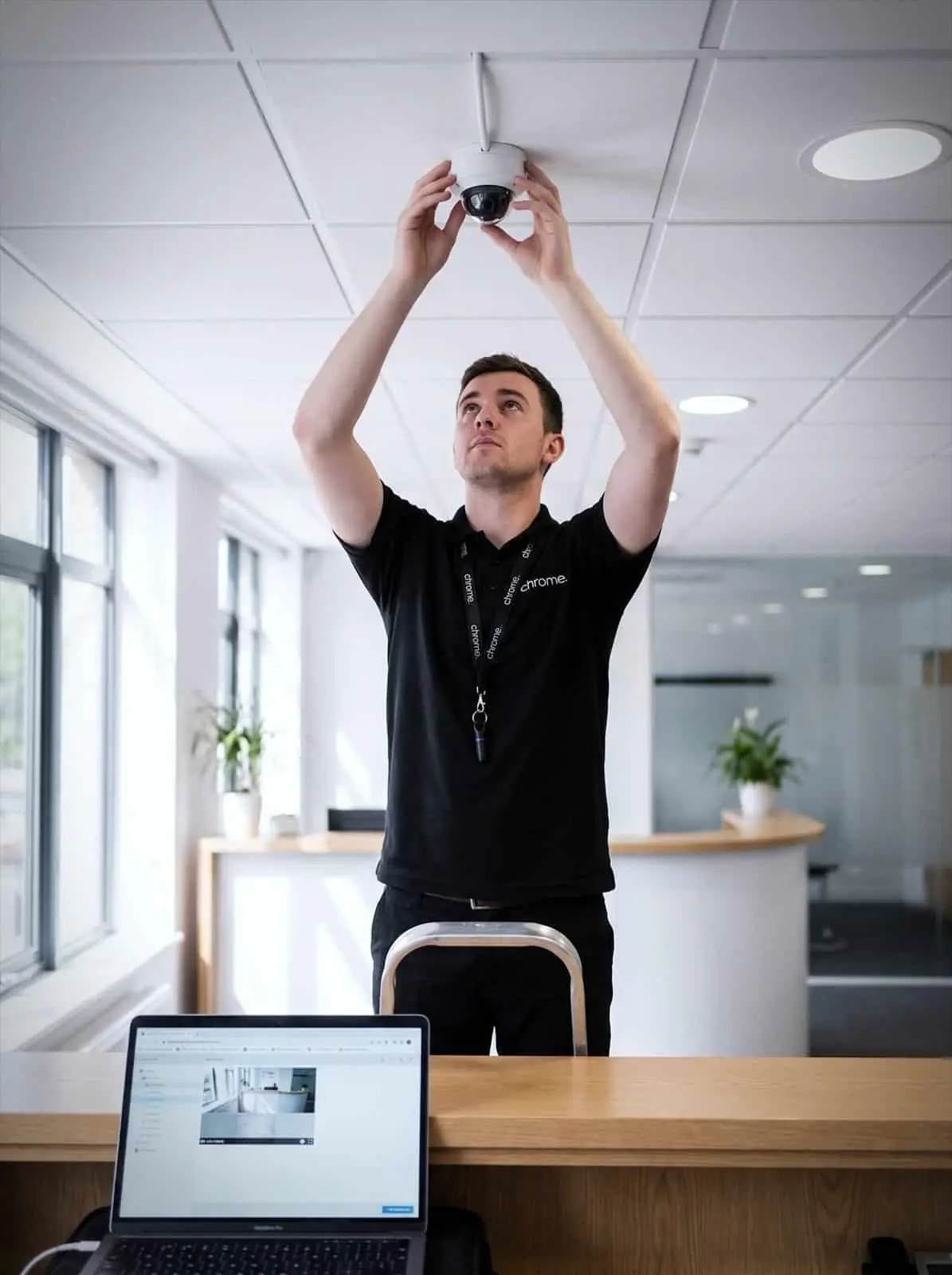

Why use Chrome CCTV Services?
You may need to monitor entrances, yards, stock areas, loading bays, car parks, reception spaces or shared areas. You may also need to review footage after an incident, support managers across more than one site or check activity outside normal working hours.
That only works when the system is planned properly.
A camera in the wrong place can miss the detail you need. Recording settings can be unclear, remote viewing may not be set up for the right people, and footage can be hard to find when time matters.
Chrome helps UK businesses plan, install and support CCTV installation around the way their premises are used, from a single retail CCTV setup or shop CCTV to warehouse CCTV across a larger site.
We’ll help you think through coverage, recording, storage, remote viewing, user access, signage and the wider technology behind the system.
See key areas more clearly
CCTV can help your team monitor agreed areas such as entrances, yards, stockrooms, loading bays and shared spaces.
Review incidents more easily
The right setup can make it easier to find and check footage when something has happened.
Support more than one site
Where the system supports it, authorised users may be able to view footage from different locations.
Connect CCTV with wider support
CCTV works best when it fits with your network, connectivity, access control, cyber security and IT support.

What business CCTV means
Business CCTV uses cameras, recording equipment, software and network connections to monitor agreed areas of your premises.
It can help you see live footage, review recordings and keep a clearer record of activity around the site.
The exact setup depends on the building, the areas you need to cover and how the footage will be used.
A CCTV system may include an IP camera system, an NVR or DVR recorder, a cloud recording service, storage, remote viewing, user accounts, mobile access, cabling, switches and network settings.
Good CCTV should answer practical questions before it is installed.
Which areas need coverage? What level of detail is needed? How long should recordings be kept? Who can view footage? Can managers access footage remotely? How will the system be supported if something stops working?
Chrome can help you work through those questions in plain English, then plan a system that fits the site.

Start with the site, not the camera list
CCTV should start with what you need to see.
Before recommending cameras, Chrome will look at how your premises are used. That may include staff entrances, visitor routes, delivery areas, stock movement, car parks, reception spaces, public areas, restricted rooms and out-of-hours access.
The building itself matters too.
Camera positions, lighting, cabling, network points, Power over Ethernet, recording location and internet access can all affect the final setup.
A warehouse will need a different CCTV plan from an office, shop, clinic, school, yard or construction site.
Chrome can help you understand which areas can be covered, which areas may need further work and where the limits are.
The goal is not to add more cameras than needed. It is to put the right cameras in the right places, so the system is useful when you need it.
How the site is used
Staff entrances, visitor routes, deliveries and stock movement.
The spaces that matter
Car parks, reception, public areas and restricted rooms.
What the building allows
Camera positions, lighting, cabling and network points.
Where footage lives
Recording location, retention and how you get to it.
Camera coverage and image quality
Coverage is about more than pointing a camera at a doorway.
Your business needs to know what the camera should help you see. You may need a general view of activity, or enough detail to check who entered an area. You may need to cover a wide yard, a till area, a loading bay or a narrow corridor.
Lighting also matters.
A camera facing bright daylight, low light, poor weather or a busy entrance may need a different approach.
Whether the site needs commercial CCTV for an office or something more specialist, Chrome can help plan camera positions and image quality around the job each camera needs to do. That may include fixed cameras, PTZ cameras that pan, tilt and zoom, wider-angle views, an outdoor CCTV camera built for weather exposure, or cameras with better low-light performance, depending on the system and site.
Some sites may also benefit from number plate recognition cameras at gated entrances or car parks, or CCTV with audio where that is appropriate and permitted.
We’ll also explain where CCTV may not be the best answer on its own. Access control may give a clearer record of who used a door, while better lighting may improve the value of camera footage.
CCTV works best when coverage is planned around the outcome, not just the number of cameras.
Recording, storage and remote viewing
A CCTV system should make footage easier to find when it is needed.
Chrome can help you review recording options, storage, retention settings and how authorised users search for footage.
The right setup depends on your site, camera numbers, image quality, recording settings and how long footage needs to be kept. Some businesses may only need short-term recording for incident review, while others may need longer retention because of operational, insurance or contractual requirements.
Many businesses also want to view CCTV from more than one location.
Where the system supports it, Chrome can help set up remote CCTV monitoring for authorised users. This may be useful for managers, site owners, operations teams or people responsible for more than one premises.
We’ll also help you think through access.
The right people should be able to view what they need, but access should not be wider than necessary. Some systems may also support alerts or notifications, depending on the platform and configuration.
Remote viewing should make the system more useful, not harder to manage.
CCTV, networks and access control
Modern CCTV often depends on your wider technology.
Cameras may need cabling, switches, Power over Ethernet, network storage, remote access and a connection that can be trusted. If these parts are not planned properly, the system can become harder to support.
Chrome can help review the technology behind the cameras, including network points, switch capacity, broadband, remote viewing, recorder location and support responsibilities.
This is where CCTV connects naturally with Chrome’s wider services.
A camera issue may involve the camera itself, the recorder, a network switch, a cable, an internet connection or a user account. Having one team that understands more of the setup can make support easier.
CCTV can also work well with access control.
CCTV can show what happened in an area, while access control can show who used a door, fob, card or credential where the system supports that level of reporting.
Chrome can help you decide whether CCTV on its own is enough, or whether access control should also be considered.
Data protection, signage and user access
CCTV systems can record images of people, so privacy needs to be considered before installation.
Your business may need to think about signage, where cameras point, who can view footage, how long recordings are kept and how requests for footage are handled.
Chrome can help with the practical setup of users, access permissions, recording settings and support routes.
We will not guess legal or compliance wording for you. Where CCTV covers staff, visitors, public areas or regulated environments, your business may need advice from a legal, compliance or data protection specialist.
Clear decisions at the start help avoid confusion later and help your team understand how the system should be used.
How Chrome helps
A useful CCTV system starts with the site rather than the camera list. This is how we work through it with you.
Understand your premises
Review the practical setup
Recommend the right system
Install and explain
Support as things change
CCTV that is useful when it matters
CCTV works best when coverage fits the site and the right people know how to use the system.
Read what customers say about Chrome’s communication, support and the people behind the service in our reviews.
What people ask about cameras and footage
Common questions about CCTV: where cameras should go, how long footage is kept and who can view it.
What areas can CCTV cover?
This depends on your premises and the purpose of the system. Common areas include entrances, reception areas, yards, loading bays, car parks, stockrooms and shared spaces.
Can CCTV be viewed remotely?
In many setups, remote viewing may be possible. This depends on the system, internet connection, permissions and security settings.
How long is CCTV footage kept?
Retention depends on the system, storage, settings and your business requirements. Chrome can help with the practical setup, but your business should confirm any legal or compliance requirements.
Does CCTV work with access control?
It can. CCTV can provide visual context, while access control can help manage and review who entered certain areas. Chrome can help you decide whether both services are useful for your site.
How much does CCTV cost?
CCTV cost and CCTV camera installation cost depend on the number of cameras, coverage, recording method, storage and installation requirements. We’ll confirm CCTV system price once we understand your site and what you need it to cover.
Need clearer visibility across your premises?
Your business may need better coverage, easier footage review or remote viewing for the right people.
Chrome can help you plan CCTV around your site, install the right setup and support your team after it goes live.
You’ll get practical advice on coverage, recording, storage, access and the wider technology behind the cameras.