
One secure business VPN for every site and remote user
Connect offices, branches and approved remote users through one private VPN environment.


Why use Chrome VPN?
Managing access becomes harder when employees work across several sites, from home or while travelling.
Chrome VPN connects approved users and business locations through one private network. Traffic routed through the VPN is encrypted, helping protect company data as it moves between people, sites and internal systems.
Your VPN can run from a dedicated appliance installed at your premises, or from a dedicated Chrome Cloud VPN created for your business.
Connected sites and remote users can then follow the same agreed rules for website access, applications and web filtering.
The aim is simple: one place to manage how people connect, and one place to ask when something needs checking.
Connect multiple business locations
Link offices, branches, warehouses and other sites through one private VPN environment.
Keep security rules consistent
Apply the same agreed website, application and web-filtering rules across connected sites and remote users.
Support remote users
Give approved employees access to agreed files, servers and applications when they work away from the office.
Choose where your VPN is hosted
Use a Chrome VPN appliance at your premises or a dedicated Chrome Cloud VPN, alongside your wider network security.
What is a business VPN?
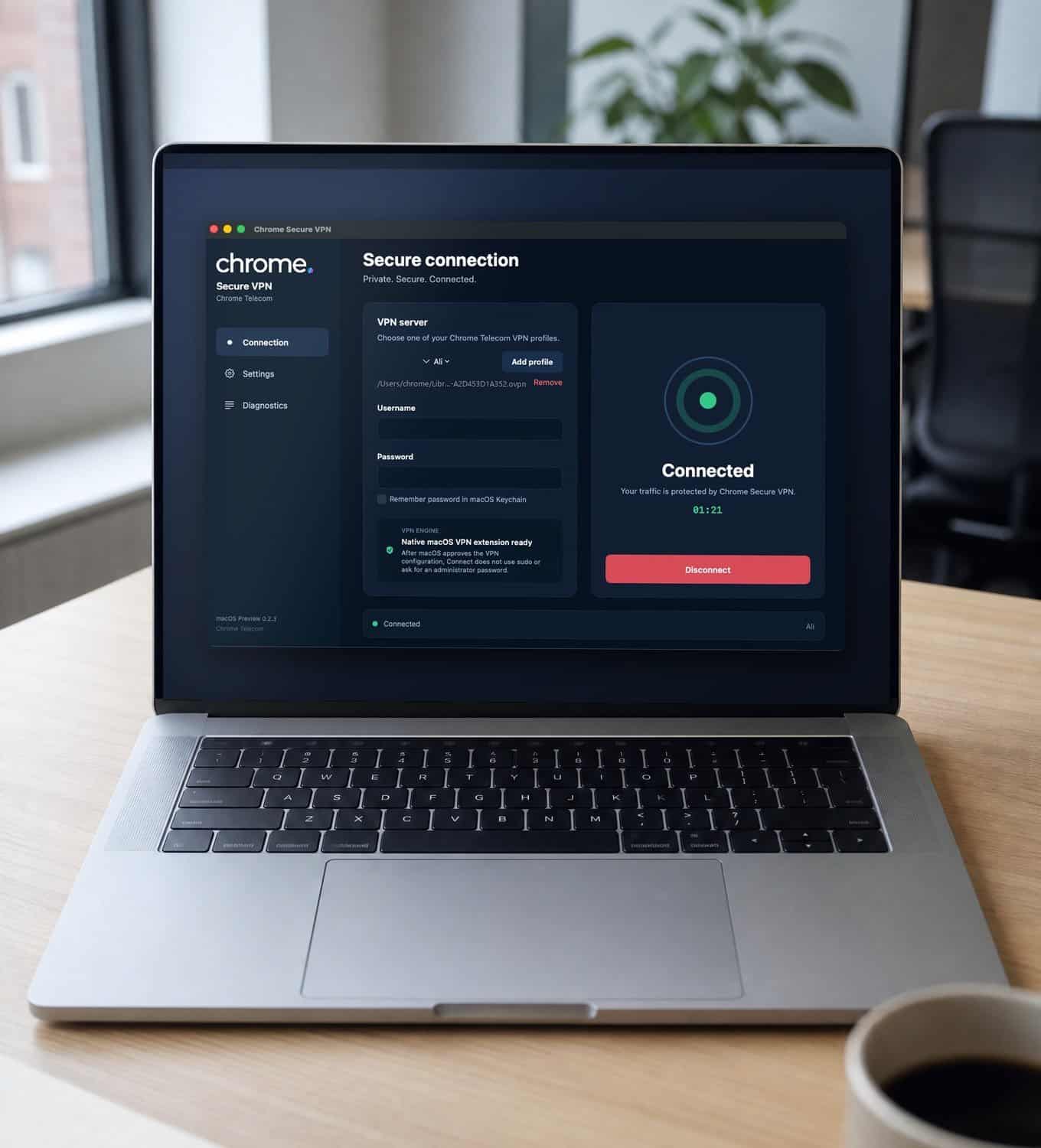
A virtual private network, usually shortened to VPN, creates an encrypted connection between approved users, business locations and private systems.
Chrome VPN can connect several sites back to one environment. Each location uses an encrypted connection to reach the systems included within the agreed setup, and approved remote users can connect in the same way.
This gives your business one place to manage how people connect and which network policies apply.
It can cover the equipment installed at each site, the software approved users run on their laptops and phones, the rules about which systems each person can reach, and how that access is reviewed when somebody joins, changes role or leaves.
Chrome can explain the setup in plain English, so your team understands which traffic travels through the VPN and where responsibility sits.
VPN appliance
Network equipment installed at an agreed site to manage encrypted connections.
Chrome Cloud VPN
A dedicated cloud environment for your business, not shared with other customers.
Site-to-site links
Offices, branches and warehouses joined to the same agreed environment.
Remote user access
Approved employees reaching agreed files, servers and applications away from the office.
Connect several sites through an on-site VPN appliance
Chrome can install a dedicated VPN appliance at an agreed business location.
A VPN appliance is a small piece of network equipment that manages encrypted connections into your business network. Other company sites and approved remote users can connect back to it.
This keeps the main VPN environment within infrastructure controlled by your business. Remote access is handled through your own VPN appliance rather than a shared third-party VPN service.
An on-site setup may suit businesses that keep servers, files or applications at their premises. It can also provide a central connection point for branches, warehouses and other locations.
Each site then uses an encrypted VPN connection to join the agreed environment, so employees can reach shared systems without those systems being made directly available over the public internet.
We’ll review your current network before confirming the equipment and configuration needed.
Use a dedicated Chrome Cloud VPN
Hosting the main VPN at your premises will not suit every business.
Chrome can create a dedicated cloud VPN environment specifically for your organisation. It can act as the central connection point for your sites, remote employees and agreed business systems.
Your Chrome Cloud VPN is not shared with other customers. Your business receives its own environment and dedicated resources.
This option lets you connect locations without hosting the main VPN appliance at one of your premises. The same agreed network policies can be applied across connected sites and users, subject to how traffic is routed.
We’ll explain how each site connects, which systems users can reach and how the environment will be supported.
Keep security policies consistent across every site
Chrome VPN can apply the same agreed policies across connected sites and remote users. These may include:
- Blocked or permitted websites
- Web-filtering rules
- Access to certain applications
- Access to internal servers and files
- Other agreed network controls
The controls can be managed through one VPN environment. The exact rules depend on how each site’s traffic is routed and the configuration agreed with your business.
A branch office can therefore follow the same agreed website and application rules as the main site. This helps keep access clearer when employees move between locations.
Give employees safer access away from the office
Employees may need to reach business systems from home, customer sites, hotels, airports or cafés.
Chrome VPN gives approved users an encrypted connection back to the files, servers and applications included within their access.
The VPN can also apply the same agreed website, application and web-filtering policies they receive at a connected business site, where their traffic is routed through Chrome VPN.
Public and unfamiliar networks give your business less control over how an employee reaches the internet. Traffic passing through Chrome VPN is encrypted, which can make interception more difficult and adds another layer of protection when someone uses public Wi-Fi.
A VPN does not make a public network safe in every respect. Secure accounts, supported devices, software updates and staff awareness still matter.
Control who can connect, and from which devices
Chrome VPN helps limit access to approved users. Their access can be restricted to the systems included within the agreed setup.
Where device checks form part of the service, access can also be limited to approved company devices.
We’ll confirm how users and devices are checked, how new access is requested and what happens when somebody leaves or changes role.
Traffic routed through the VPN also uses the public internet address of the VPN environment rather than the address of the network the employee is using. This can reduce how much information about the user’s local network is exposed to outside parties.
It does not make the user anonymous. The level of privacy depends on which traffic passes through the VPN and how the service is configured.
Choose the setup that fits your business
Most businesses arrive at the same question: should the VPN live at one of our sites, or in a dedicated cloud environment?
An on-site Chrome VPN appliance may suit businesses that:
- Keep systems or files at their premises
- Want the main VPN within their own infrastructure
- Need to connect several locations to a chosen business site
- Already have an established network setup
A Chrome Cloud VPN may suit businesses that:
- Would rather not host the main VPN at their premises
- Need to connect several locations through a dedicated cloud environment
- Have users working across different sites
- Want a private cloud VPN that is not shared with other customers
Chrome will review how your sites, systems and people work before recommending an option.
Chrome VPN and wider cyber security
A business VPN is one part of your cyber security setup.
It can form part of the technical controls used to protect remote access, company data and internal systems, and it may support requirements within regulations, industry standards, customer agreements or your own security policies.
A VPN does not make a business compliant by itself, and no single service stops every attack. Chrome VPN can reduce certain risks by encrypting traffic and controlling access to private systems, but it should sit alongside the rest of your setup.
It works best next to network security, Cyber Essentials, email security, awareness training, patch management and password management.
Cyber Essentials includes firewall and secure configuration controls that sit close to how a VPN is set up. Patch management helps keep supported network devices and VPN software up to date, while password management can reduce risky shortcuts around admin and remote access.
Some businesses also use penetration testing to look for weaknesses in remote access from the outside, which sits alongside the ongoing setup and review work covered here.
Chrome will explain what the service covers, what Chrome manages and where another provider remains responsible. See all cyber security services.
Setting up your VPN
Here’s how Chrome sets up your VPN, step by step.
Understand what needs to connect
Agree the hosting option
Confirm your access and filtering rules
Connect and test each location
Confirm ongoing support
Support from people who explain things clearly
A secure VPN is only useful when people know how to connect and who to contact when something needs checking.
Read what customers say about Chrome’s communication, support and the people behind the service in our reviews.
What businesses ask about Chrome VPN
Common questions we hear from businesses connecting sites and remote users.
Can Chrome VPN connect several business sites?
Yes. Chrome can install a VPN appliance at an agreed customer location and connect several business sites back to it. We can also provide a dedicated Chrome Cloud VPN that acts as the central environment for your locations.
What is installed at our premises?
For an on-site setup, Chrome installs a dedicated VPN appliance. This is a piece of network equipment that manages connections from your other sites and approved remote users. The exact equipment will depend on your network and the number of locations and users involved.
Can every site use the same website and application policies?
Yes. Connected sites can be set up to follow the same agreed policies for website access, applications, web filtering and other network controls. The exact result depends on which traffic is routed through the VPN, and we’ll confirm the setup before the service is configured.
Can remote employees connect to the same environment?
Yes. Approved remote users can connect to the VPN as well as your business locations. Their access can include the files, servers and applications agreed during setup.
Is Chrome Cloud VPN shared with other customers?
No. Chrome Cloud VPN provides a dedicated environment for your business. It is not a shared customer VPN service.
Is traffic encrypted?
Traffic routed through Chrome VPN is encrypted. The way traffic is routed can differ between setups, so we’ll confirm which user and site traffic will pass through the VPN before installation.
Does Chrome VPN hide an employee’s IP address?
Traffic routed through the VPN uses the public address of the VPN environment rather than the address of the network the employee is using. This provides a degree of network privacy, but it does not make the employee anonymous.
Can access be limited to company devices?
It can be, where device checks are included within the agreed setup. We’ll confirm how users and devices are checked before they are allowed to connect.
Does Chrome VPN help with compliance?
A VPN can support wider security and data-protection controls by encrypting traffic and restricting access to approved users. It does not make a business compliant by itself. The requirements will depend on the regulations, standards and agreements that apply to your organisation.
Does Chrome VPN stop cyber attacks?
No single service can stop every attack. Chrome VPN can reduce certain risks by encrypting traffic and controlling access to private systems, and it should form part of a wider cyber security setup.
Can we add more sites later?
Further locations may be added, subject to a review of the existing setup, connection capacity and equipment. Chrome will check what is needed before making changes.
Give your sites and remote team a secure way to connect
Tell us how many sites and remote users need access, and which systems they need to reach.
We’ll review your current network, explain the on-site and cloud options, and set out the next practical step.