
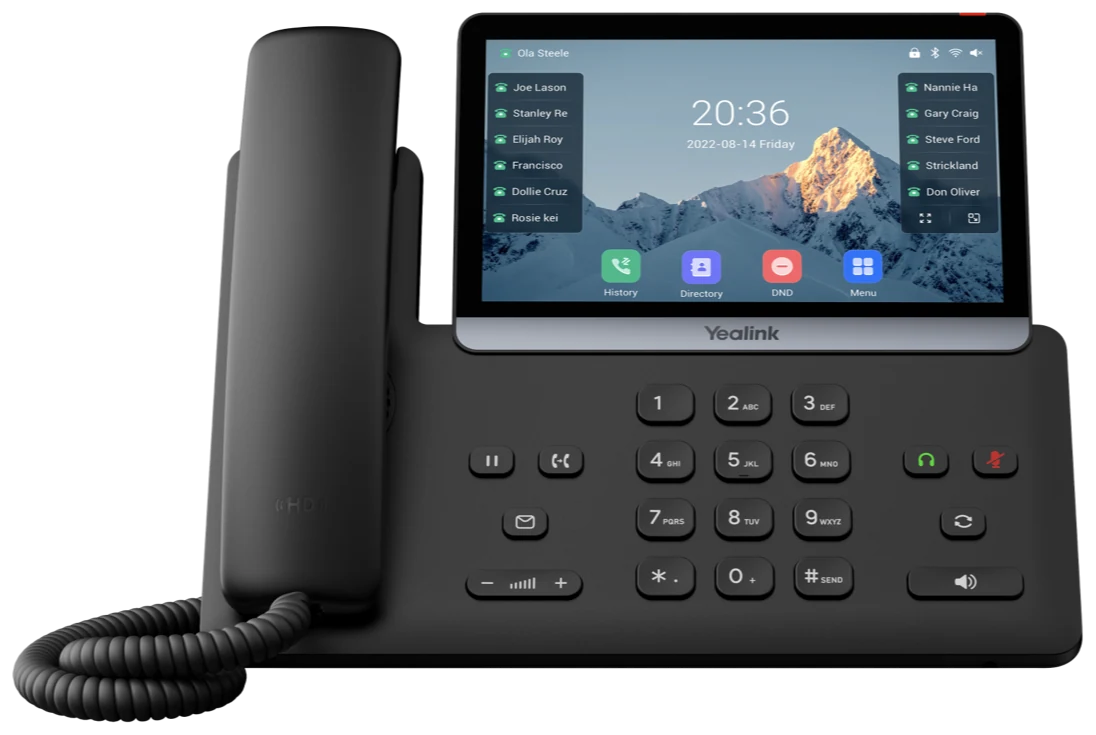
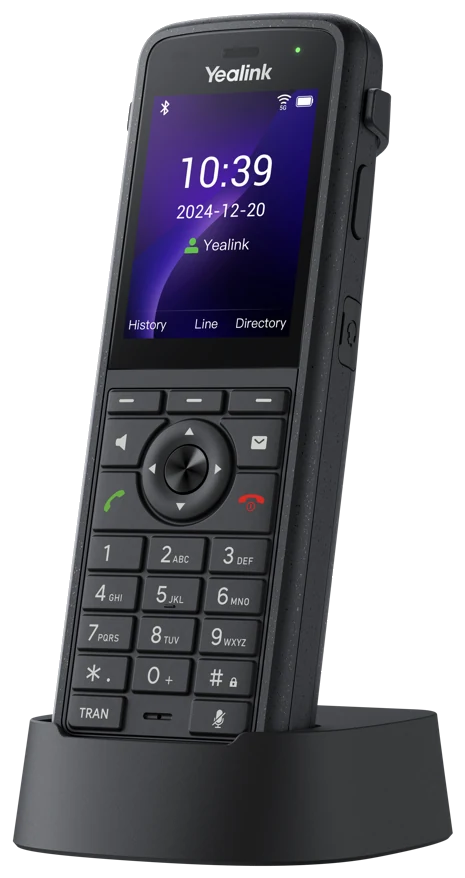
| Yealink W59R | Yealink T74W | Yealink T88 | |
|---|---|---|---|
| Type | Rugged cordless handset | Desk phone | Touchscreen desk phone |
| Best for | Tough sites and care settings | Everyday desk users | Reception, team leaders and senior staff |
| Screen | 1.8-inch colour | 4.3-inch colour | 7-inch touchscreen |
| Moving around | Cordless, through a DECT base station | Stays on the desk | BTH88 handset, up to 10 m |
| Built for | IP67 dust and water rating, 2.5 m drop | Office use | Office use |
| Our guide | You’re reading it | Yealink T74W guide | Yealink T88 guide |
// Handset guide
Yealink W59R buyer's guide
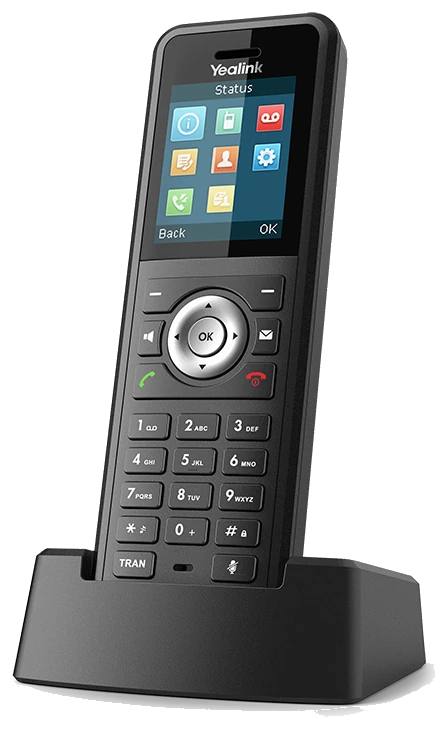
The rugged cordless phone. The W59R is a DECT handset, using the same radio standard as most office cordless phones, but built for places an office phone wouldn’t last, from warehouse floors to care homes.
It’s sealed against dust and water to IP67, survives a 2.5-metre drop and has four safety alarms for staff working alone.
This guide explains who it suits, which base station it needs and how it works on ChromeX, our cloud phone system.
Updated 2 November 2026 · 7 minute read · Covers the W59R and its base stations
IP67 dust and water rating
Four safety alarms
Set up for you on ChromeX
The short answer
Choose the W59R for staff who are on their feet and away from a desk, in places where phones get dropped, dusty or wet, such as a warehouse floor or a care home corridor.
It needs a Yealink DECT base station. One W70B covers a single building for up to 10 handsets. On larger sites, where people walk between buildings, a W80 multi-cell system keeps calls going as they move.
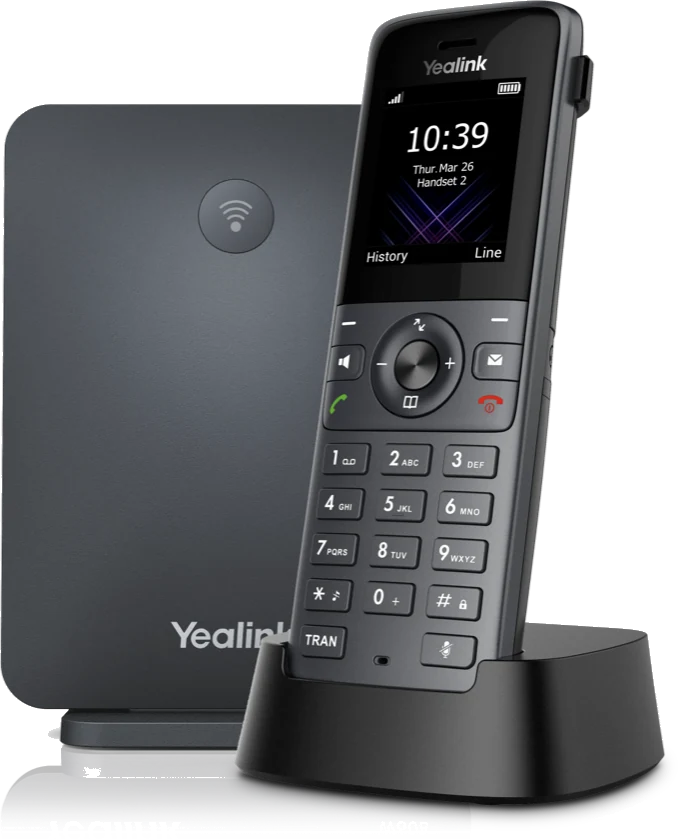
Office staff who sit at a desk are better served by a desk phone such as the T74W, or an office cordless phone such as the Yealink W73P.
IP67
Sealed against dust, and survives being dropped in water up to a metre deep for half an hour
2.5 m
Drop rating, with a rubberised case that resists scratches and disinfectant
28 hours
Talk time on a charge, or up to 360 hours on standby
Which base station does the W59R need?
The W59R works through a Yealink DECT base station, which connects your handsets to ChromeX over your network. There’s no base in the box, so you choose one by the size of your site.
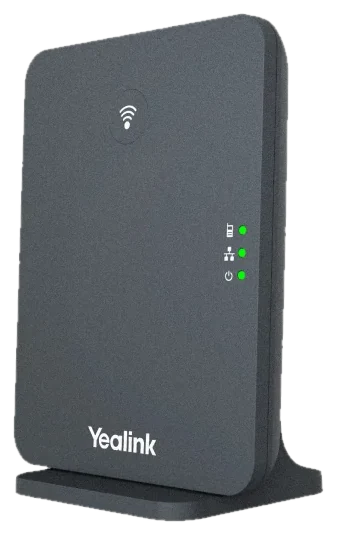
W70B
One building
- Up to 10 handsets and 20 calls at once
- Up to 50 metres indoors, with repeaters for awkward corners
- Sold with a W59R as the W79P kit
Best for: a single site such as a warehouse, workshop or care home
W80
Several buildings
- Up to 30 base stations and 100 handsets
- Calls carry on as people walk from one base’s area to the next
- Planned with a site survey before it’s installed
Best for: large sites, yards and campuses where people move between buildings
A closer look at the W59R
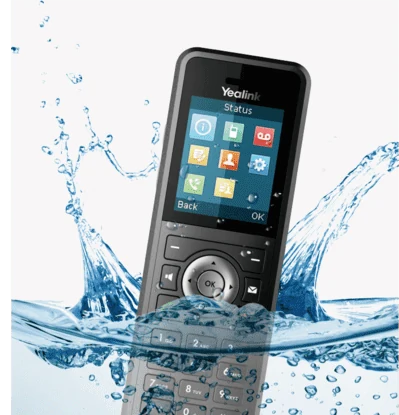
Built for tough places. Sealed against dust and water to IP67, with a rubberised case that copes with knocks, scratches and disinfectant.
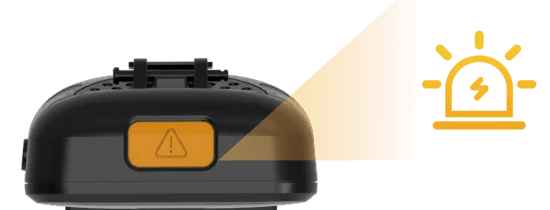
Safety alarms. A held button, a fall, no movement or running can set off an alarm call to a number you choose.
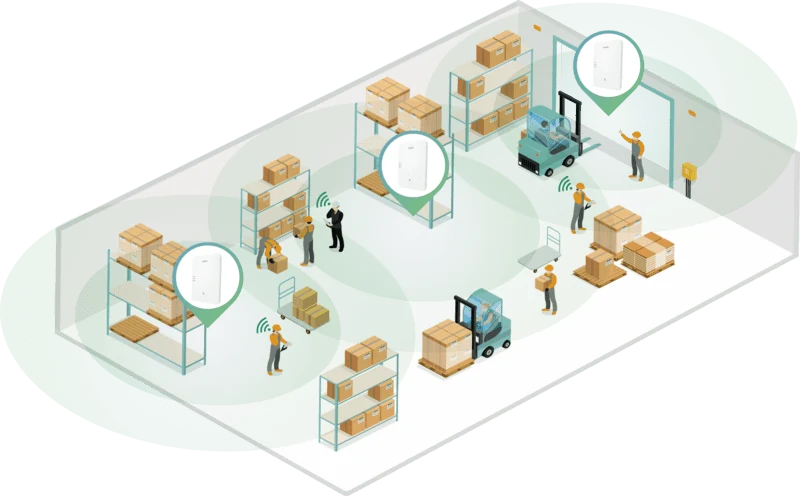
Coverage across a site. On a W80 system, calls hand over from one base station to the next as staff move around the site.
Who the W59R suits
The W59R is for people whose work keeps them moving, often somewhere noisy, dusty or wet. These are the settings where it earns its place.
Warehouses and logistics
Calls follow staff around the racking and loading bays, and the handset survives the odd drop onto concrete.
Workshops, factories and yards
Dust and water sealing, noise reduction and a vibrate alert for noisy floors.
Care homes and healthcare
A case that copes with disinfectant, and alarms that can call for help if a carer falls or presses the alarm button.
When a different phone makes more sense
Not everyone needs a rugged handset. Here’s how the W59R compares with the desk phones our guides cover.
DECT is the radio standard most business cordless phones use. A DECT base station connects the handsets to your phone system.
What the features mean day to day
A specification sheet lists dozens of features. These are the ones your team will notice.
Sealed against dust and water
IP67 means no dust gets in, and the handset survives being dropped in water up to a metre deep for half an hour. It isn't rated for pressure washing.
Four safety alarms
A held alarm button, a fall, no movement or running can trigger an automatic call to a number you choose. Each alarm warns first, so a false alarm can be cancelled.
Clear calls in noisy places
Yealink's noise reduction lowers background noise on your side, and the handset vibrates so you don't miss calls when it's loud.
Hands free with a headset
Built-in Bluetooth connects a wireless headset, and the belt clip keeps the handset out of the way.
Easy to keep clean
The rubberised case resists scratches and disinfectant, which matters in kitchens and care settings.
A battery that lasts a shift
Up to 28 hours of talk time on a charge, and a 10-minute top-up gives about 2 hours of talk.
How the W59R works with ChromeX
ChromeX is Chrome’s cloud phone system. Your W59R handsets register to a Yealink base station, and the base connects them to ChromeX over your network.
1
We add the base to your account
We link the base station to ChromeX and give each handset its own number and phone book.
2
You plug in the base
The base needs one network cable, which can also power it. Put it where it can reach the areas your team works in.
3
The handsets register
Each W59R pairs with the base, picks up its settings and updates its own firmware over the air.
4
Changes happen remotely
Need a new user or a change to the phone book? We change it in ChromeX and the handsets update.
Planning a W80 system across several buildings? It’s set up by hand after a site survey, so each base goes where your team actually works.
Check these before you order
The base station. The W59R doesn’t come with one. Order a W70B, or the W79P kit with a handset included, for a single building. Larger sites need a W80 system.
Coverage. Each base reaches up to 50 metres indoors in ideal conditions. Walls and metal racking shorten that, so tell us about your site and we’ll plan the bases and any repeaters.
Temperature. The W59R is rated for 0 to 40 °C, so it isn’t designed for freezers or cold stores below zero.
Safety alarms. The alarms are set up on the base station. If your team will rely on them, tell us before you order so we can check how they’ll work with your setup and test them with you.
Headsets. There’s no headset socket, so plan on Bluetooth headsets. Tell us which ones your team uses and we’ll check them.
Cleaning. The case resists disinfectant. If you use strong cleaning chemicals, check them with us first.
Your internet connection. Every call uses your broadband. If you’re adding a lot of handsets, we can check your business internet has room for them.
Yealink W59R specifications
| Screen | 1.8-inch 128 x 160 colour screen, backlit keypad |
|---|---|
| Dust and water | IP67: dust-tight, and survives immersion in water up to 1 m deep for 30 minutes |
| Drop | Up to 2.5 m |
| Case | Rubberised, scratch and disinfectant resistant |
| Battery | 1,460 mAh rechargeable lithium-ion, removable |
| Talk time | Up to 28 hours (18 hours with a Bluetooth headset), in ideal conditions |
| Standby | Up to 360 hours (200 hours with a Bluetooth headset) |
| Charging | Desk charging cradle; a 10-minute charge gives about 2 hours of talk |
| Bluetooth | Built-in Bluetooth 4.2 for headsets |
| Safety alarms | Push-button, man down, no movement and running, set up on the base station |
| Audio | HD audio, noise reduction (FNR), full-duplex speakerphone, hearing aid compatible, vibrate alert |
| Calls | Up to 2 calls at once per handset, 3-way conference calls |
| Range | Up to 50 m indoors and 300 m outdoors, in ideal conditions |
| Base stations | Yealink W70B (single cell), or W75, W80 and W90 multi-cell systems |
| Size and weight | 157 x 51 x 24 mm, 183 g |
| Working temperature | 0 to 40 °C |
| In the box | Handset with belt clip, charging cradle, battery, power adapter, quick start guide. No base station |
From Yealink's W59R and W70B datasheets. Yealink can change details between production runs, so we'll confirm the specification before you order.
Common questions
Which base station does the Yealink W59R need?
A Yealink DECT base station. For one building, the W70B handles up to 10 handsets and 20 calls at once. For sites where people move between buildings, a W80 multi-cell system lets calls carry on from one base to the next. The W59R doesn’t work with other brands’ bases.
What does IP67 mean?
It’s a dust and water rating. The 6 means no dust gets in. The 7 means the handset survives being dropped in water up to a metre deep for half an hour. It doesn’t cover pressure washing or long periods underwater.
How long does the W59R battery last?
Up to 28 hours of talk time, or 18 hours with a Bluetooth headset, and up to 360 hours on standby, in ideal conditions. A 10-minute charge gives about 2 hours of talk.
How do the man-down and no-movement alarms work?
The handset senses when it’s been tilted over or kept still for a set time. It warns first, so a false alarm can be cancelled, then calls a number you choose. The alarms are set up on the base station, so talk to us before your team relies on them.
Will calls drop as staff move between buildings?
With a single base, calls stay connected within its range, which is up to 50 metres indoors. On a W80 multi-cell system, calls hand over from one base to the next as people walk, so they keep going across a larger site.
Can the W59R be cleaned with disinfectant?
Yes. The rubberised case is designed to resist disinfectant and scratches, which suits kitchens and care settings.
What's the difference between the W59R and the W59R Pro?
The W59R Pro is the newer version, with a larger 2.4-inch screen, newer Bluetooth, a push-to-talk key and antimicrobial casing. The W59R has the higher drop rating, at 2.5 metres against 2 metres. Ask us if you’re weighing up the two.
Should office staff use the W59R?
Usually not. Office cordless handsets such as the W73H are slimmer, have a headset socket and work on the same base station. Keep the W59R for people who work somewhere tough.
On this page
W59R at a glance
Screen
1.8-inch colour
Rating
IP67, 2.5 m drop
Talk time
Up to 28 hours
Alarms
Four types
Bluetooth
4.2, for headsets
Base station
W70B or W80
Phone system
ChromeX
// Hardware guides
More hardware guides
Compare the other phones and adapters we set up on ChromeX.
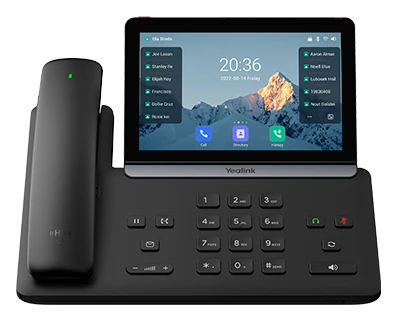
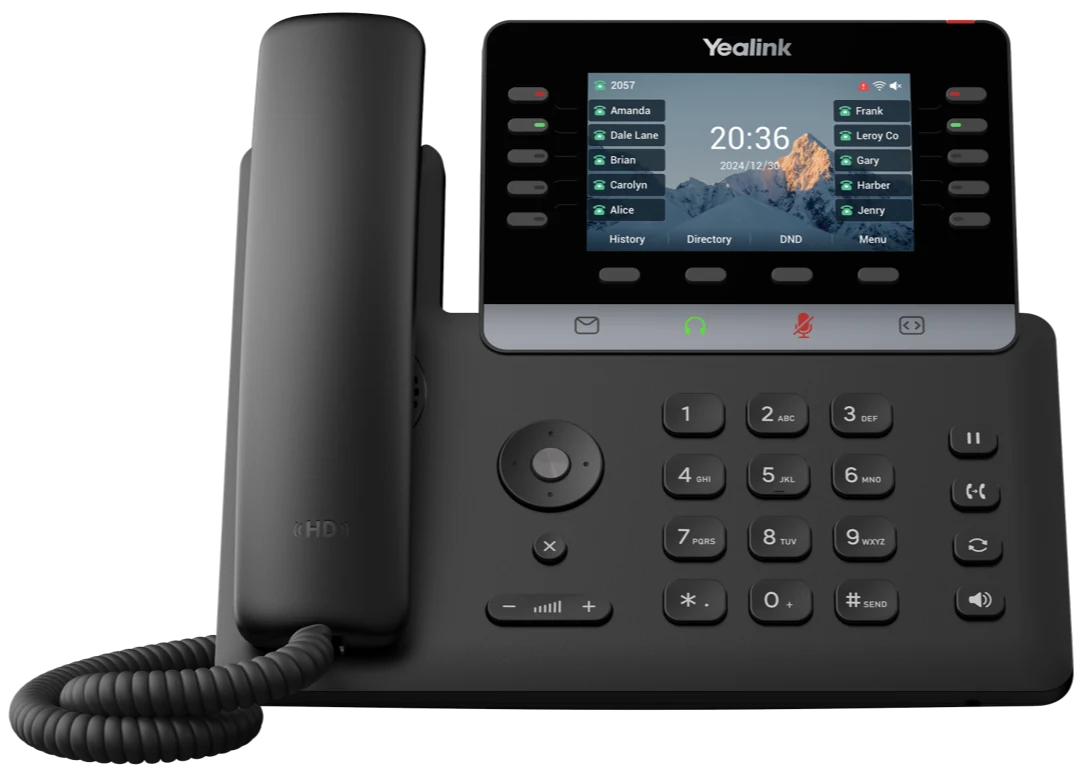
Not sure which phone suits each person?
Tell us how your team works and where. We’ll suggest the right handset for each person, then set everything up on ChromeX for you.