
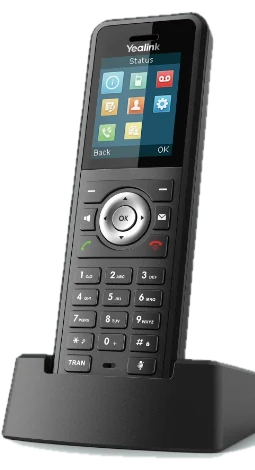
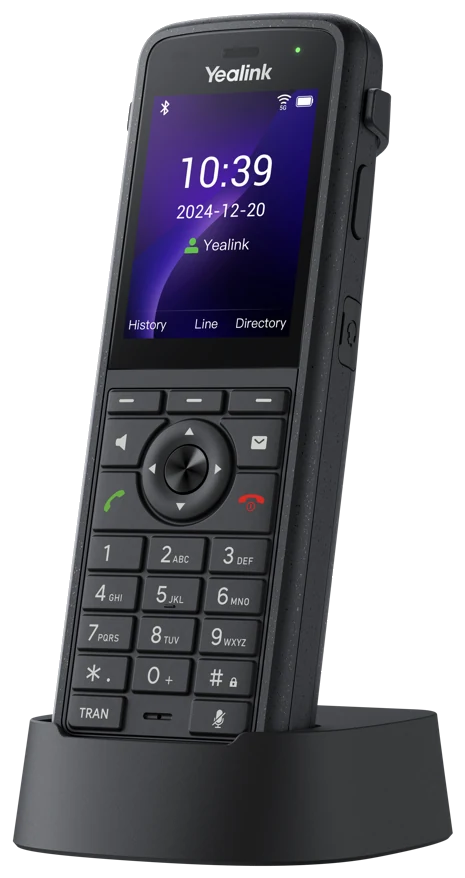
| Yealink W73H | Yealink W78H | Yealink W59R | |
|---|---|---|---|
| Type | Office cordless handset | Premium office handset | Rugged cordless handset |
| Best for | Everyday office users | People on calls all day | Tough sites and care settings |
| Screen | 1.8-inch colour | 2.4-inch colour | 1.8-inch colour |
| Headsets | Wired, 3.5 mm socket | Bluetooth or wired | Bluetooth |
| Talk time | Up to 35 hours | Up to 21 hours | Up to 28 hours |
| Built for | Office use | Office use | IP67, 2.5 m drop |
| Kit with a W70B | W73P | W78P | W79P |
| Our guide | You’re reading it | Ask us | Yealink W59R guide |
// Handset guide
Yealink W73P buyer's guide
The everyday office cordless phone. The W73P is a kit: a W73H handset and a W70B base station, which connects up to 10 cordless handsets to your phone system over one network cable.
It suits people who spend part of the day away from their desk but don’t need a rugged phone.
This guide explains what one base can handle, which handset suits whom and how it works on ChromeX, our cloud phone system.
Updated 12 November 2026 · 7 minute read · Covers the W73P, W73H and W70B
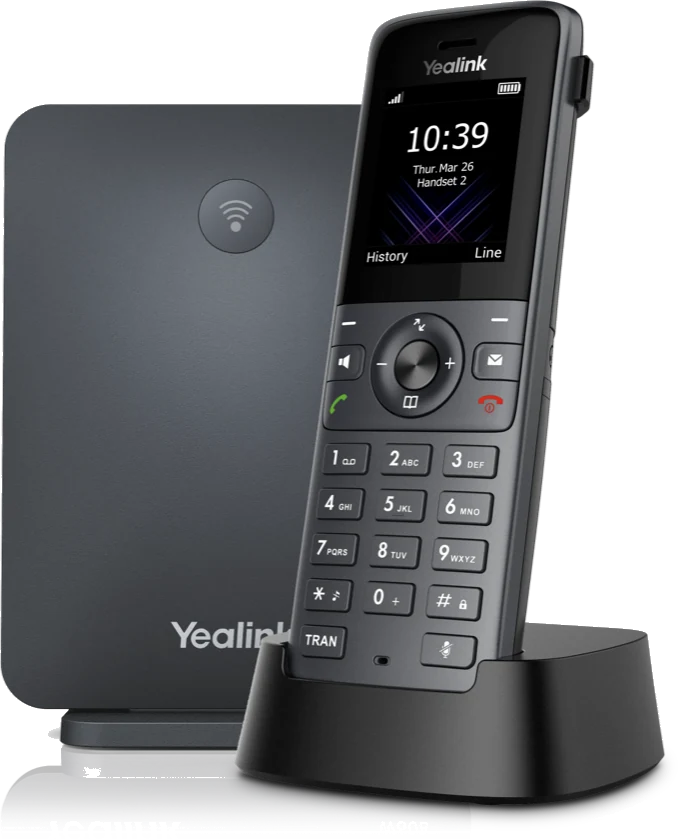
Up to 10 handsets per base
35 hours' talk time
Set up for you on ChromeX
The short answer
Choose the W73P for office staff who need to take calls away from their desk, whether that’s around the office, on the shop floor or in the stock room. The W73H handset is light, has the longest battery life of Yealink’s office handsets and takes a wired headset.
One W70B base covers a single building for up to 10 handsets, with repeaters for awkward corners. Bigger teams, or sites where people walk between buildings mid-call, need a multi-cell system instead.
If someone wants a wireless headset or a bigger screen, the W78H works on the same base. For tough sites, look at the W59R.
10
Handsets on one W70B base, with up to 20 calls at once
35 hours
Talk time on a charge, or up to 400 hours on standby
50 m
Range indoors in ideal conditions, and up to 300 m outdoors
W73P or W73H?
The names cause confusion. The W73P is the full kit, base station included. The W73H is the same handset on its own, for adding to a base you already have.
W73P
Kit with a base
- A W70B base station and one W73H handset
- The base needs one network cable, which can also power it
- Add up to nine more handsets later
Best for: starting out, or replacing an old cordless system
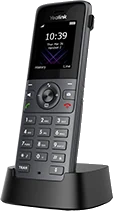
W73H
Handset only
- The handset with its charging cradle, battery and belt clip
- Registers to a Yealink W70B or multi-cell base
- Doesn’t work with other brands’ base stations
Best for: adding people to a Yealink DECT system you already have
Who the W73P suits
The W73P is for people who need to answer calls wherever they are in the building. These are the places it fits best.
Office teams
People who move between meeting rooms, the kitchen and colleagues' desks can answer calls wherever they are.
Shops, salons and receptions
Staff serve customers and take calls on the same handset, without running back to a counter.
Stock rooms and back offices
A handset on a belt clip means calls follow people out of the office. For dusty or wet places, the W59R is tougher.
Which handset suits each person?
Every handset below works on the same W70B base, so you can mix them on one system. Here’s how the W73H compares with Yealink’s premium office handset and its rugged one.
The W74H sits between the two office handsets: the W73H's body with Bluetooth and a vibrate alert, and up to 24 hours' talk time.
What the features mean day to day
A datasheet lists dozens of features. These are the ones your team will notice.
A battery that lasts the week
Up to 35 hours of talk time and 400 hours on standby. Ten minutes in the cradle gives about two hours of talk.
A socket for a wired headset
A 3.5 mm socket takes a standard wired headset. There's no Bluetooth, so for a wireless headset choose the W74H or W78H.
Clearer calls in a busy office
HD audio and noise reduction cut background noise on your side of the call.
Calls that move with you
Put one call on hold to answer another, or transfer it to a colleague, from anywhere in the building.
Room to grow
Start with one handset and add more as people join, up to 10 on one base. Repeaters and multi-cell systems take it further.
Managed remotely
We change users, numbers and the phone book in ChromeX, and the base passes the changes to every handset.
How the W73P works with ChromeX
ChromeX is Chrome’s cloud phone system. Your W73H handsets register to the W70B base, and the base connects them to ChromeX over your network.
1
We add the base to your account
We link the W70B to ChromeX and give each handset its own extension or number.
2
You plug in the base
It needs one network cable, which can also power it. Put it somewhere central, away from metal cabinets.
3
The handsets register
Each W73H pairs with the base, collects its settings and phone book, and updates its own firmware over the air.
4
Changes happen remotely
Need a new user or a change to the phone book? We change it in ChromeX and the handsets update.
Already have Yealink handsets on an older W60B base? That base reaches the end of its life in March 2027. W56H handsets also work on the W70B, so you may only need a new base. Tell us what you have and we’ll check.
Check these before you order
How many handsets. One W70B takes up to 10 handsets and DECT headsets combined. If you’ll need more, or people walk between buildings mid-call, tell us: a multi-cell system is the better start.
Coverage. The base reaches up to 50 metres indoors in ideal conditions. Thick walls and metal shorten that, and RT30 repeaters fill the gaps, up to six per base.
Where the base goes. It needs a network cable to your router or switch. A switch with Power over Ethernet can power it through that cable, so it doesn’t need a socket nearby.
Headsets. The W73H takes a wired 3.5 mm headset only. If some people want Bluetooth, choose the W74H or W78H for them, on the same base.
Other brands. Yealink’s DECT handsets and bases don’t work with other makes, so older Gigaset, Panasonic or BT cordless handsets can’t join the system.
Power cuts. The base needs power and your broadband to make calls. A battery back-up for your router, switch and base keeps calls going for a while. Keep a charged mobile phone for 999 calls.
Your internet connection. Every call uses your broadband. If you’re adding a lot of handsets, we can check your business internet has room for them.
Yealink W73P specifications
| Screen | 1.8-inch 128 x 160 colour screen, backlit keypad |
|---|---|
| Talk time | Up to 35 hours, in ideal conditions |
| Standby | Up to 400 hours |
| Charging | Desk charging cradle, wall mountable; a 10-minute charge gives about 2 hours of talk |
| Battery | Rechargeable lithium-ion, removable |
| Headset | 3.5 mm wired headset socket. No Bluetooth |
| Audio | HD audio (G.722), noise reduction, full-duplex speakerphone, hearing aid compatible |
| Calls | Up to 2 calls at once per handset, 3-way conference calls |
| Phone book | Shared phone book stored in the base, and 100 recent calls on each handset |
| Range | Up to 50 m indoors and 300 m outdoors, in ideal conditions |
| Size and weight | 144.5 x 48 x 21 mm, 112 g |
| Working temperature | Handset 0 to 40 °C, base -10 to 45 °C |
| W70B base | Up to 10 handsets, 10 accounts and 20 calls at once; up to 6 RT30 repeaters |
| Base power | Power over Ethernet (802.3af), or the mains adapter supplied |
| Other bases | The W73H also works on Yealink’s W75, W80 and W90 multi-cell systems |
| In the W73P box | W73H handset with belt clip, W70B base and stand, charging cradle, battery, network cable, two power adapters, quick start guide |
From Yealink's W73P, W73H and W70B datasheets (December 2025 to July 2026). Yealink can change details between production runs, so we'll confirm the specification before you order.
Common questions
How many handsets can a Yealink W73P have?
Up to 10 on one W70B base, counting DECT headsets, with up to 20 calls at once and 2 per handset. If you need more, a Yealink multi-cell system such as the W80 takes over, and the W73H works on that too.
What's the difference between the W73P and the W73H?
The W73P is the kit: a W73H handset plus a W70B base station. The W73H is the handset on its own, for adding to a Yealink base you already have. Other brands’ handsets won’t work with a Yealink base.
What's the range, and do I need a repeater?
Up to 50 metres indoors and 300 metres outdoors in ideal conditions. Thick walls and metal shorten that. If part of the building drops out, an RT30 repeater fills the gap, and a W70B takes up to six.
How long does the W73H battery last?
Up to 35 hours of talk time and 400 hours on standby, in Yealink’s tests. Ten minutes in the cradle gives about two hours of talk. The battery is removable, so it can be replaced when it wears out.
Can I use a headset with the W73H?
Yes, a wired headset with a 3.5 mm plug. The W73H has no Bluetooth, so for wireless headsets choose the W74H or W78H, which work on the same base.
What's the difference between the W73P, W76P and W78P?
All three use the same W70B base. The difference is the handset: the W73P comes with the W73H, the W76P with the older W56H, and the W78P with the W78H, which adds a 2.4-inch screen, Bluetooth and vibrate but has a shorter battery life.
I have Yealink W56H handsets. Can I keep them?
Often, yes. The W56H works on the W70B, so if your old W60B base is the problem, a new base may be all you need. The W60B reaches the end of its life in March 2027. Tell us what you have and we’ll check.
Does the W73P work in a power cut?
Not on its own. The base needs mains power, or power from a network switch, and your broadband has to be up. A battery back-up for the router, switch and base keeps calls going for a while. Keep a charged mobile phone for 999 calls.
On this page
W73P at a glance
Screen
1.8-inch colour
Talk time
Up to 35 hours
Handsets
Up to 10 per base
Headset
3.5 mm wired
Range
50 m indoors
Base station
W70B
Phone system
ChromeX
// Hardware guides
More hardware guides
Compare the other phones and adapters we set up on ChromeX.
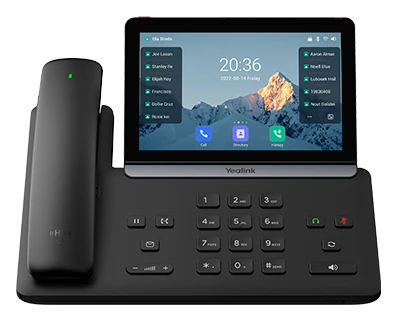
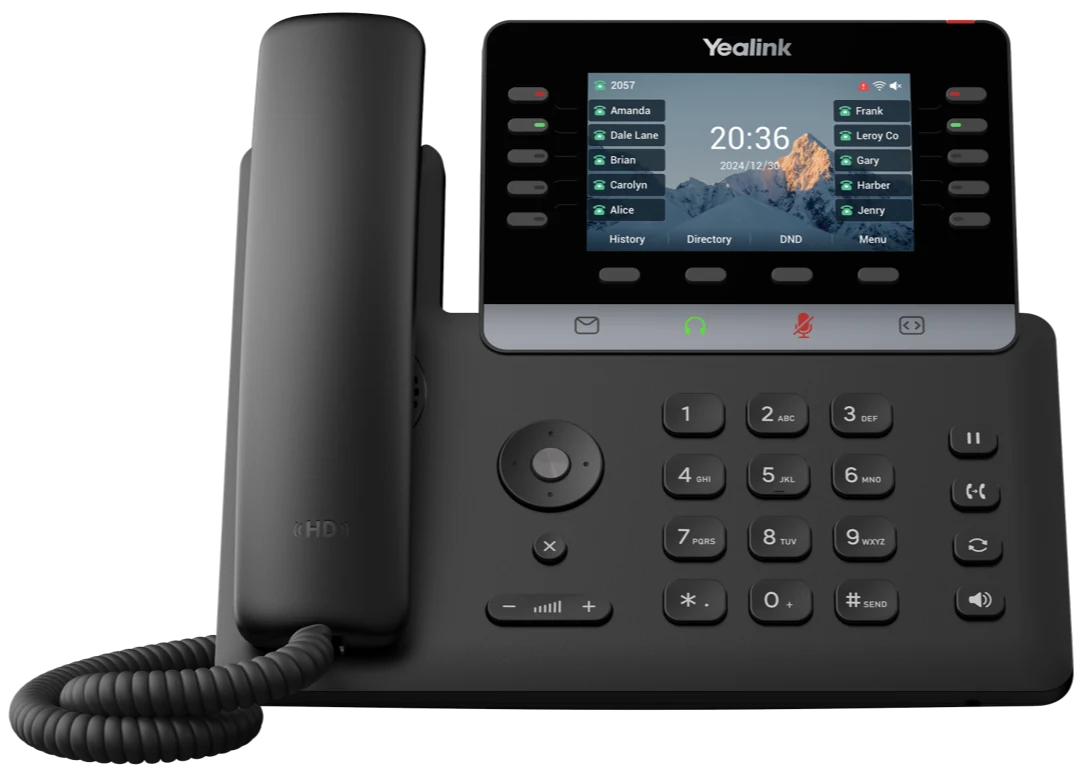
Not sure which phone suits each person?
Tell us how your team works and where. We’ll suggest the right handset for each person, plan the bases and any repeaters, then set everything up on ChromeX for you.